


Most free t-shirt mockups are cheap-looking, overused, and bad for conversion. That sounds harsh, but it is true. If your listing image looks like the same flat template everyone else downloaded in thirty seconds, your product feels generic before the shopper even reads the title.
I do not think the real problem is finding a free t-shirt mockup. The real problem is finding one that still makes your shop look credible. Etsy sellers do not need more files. You need mockups that help people imagine buying the shirt.
In this guide, I am breaking down the best free t-shirt mockup options for Etsy sellers, when free is good enough, when it starts costing you clicks, and how I would build a faster mockup workflow if I wanted to scale without wasting hours on one listing at a time.
Key Takeaways
- A free t-shirt mockup only works if it still looks trustworthy – shoppers make snap judgments, and weak visuals lower click-through rate fast.
- The best free t-shirt mockup options are usually generators first and PSD libraries second – speed matters more than flexibility for most Etsy sellers.
- Good mockups are less about realism and more about clarity – the buyer needs to understand the product instantly on mobile.
- The long-term edge is not one perfect image – it is having a repeatable workflow that lets you test and publish more winning listings.
Table of Contents
- Why most free t-shirt mockups fail on Etsy
- What to look for in a free t-shirt mockup
- Best free t-shirt mockup options for Etsy sellers
- When a generator beats downloading PSDs
- How to make free mockups look better than they should
- How MyDesigns speeds up t-shirt mockups at scale
- Frequently Asked Questions
Why most free t-shirt mockups fail on Etsy
A free t-shirt mockup is not automatically bad. The problem is that most free ones were built to be downloaded, not to help a seller convert. That is a huge difference. A mockup can look fine in a design blog thumbnail and still perform terribly once it becomes the first image in a live Etsy listing.
Shoppers decide fast
Etsy shoppers scan brutally fast. The Etsy Seller Handbook keeps emphasizing strong first images because the thumbnail does most of the selling work before your title and tags get a chance to help. If the shirt shape looks awkward, the background feels dated, or the design placement looks fake, you lose the click.
I have seen sellers obsess over title tweaks while ignoring weak listing photos. Backwards move. If your t-shirt mockup does not stop the scroll, your SEO never gets the chance to matter.
Cheap-looking images hurt trust
This is the part people do not like hearing. A weak mockup makes the product feel weak. Not because the design is bad, but because the presentation signals low effort. On apparel, trust is visual. Buyers want to feel the shirt, fit, color, and vibe through the screen. A stiff flat lay with bad lighting does not do that.
That is why I would rather use one clean mockup style repeatedly than ten random free files that make the shop look inconsistent. The old playbook was quantity first. The better play now is controlled consistency.
If your first image feels generic, the buyer assumes the shirt is generic too.
MyDesigns helps you move from one-off mockups to a cleaner apparel workflow, so you can test better listing images without rebuilding every product page manually.
What to look for in a free t-shirt mockup
Not every seller needs a premium mockup subscription on day one. But you do need standards. Here is what I would screen for before using any free t-shirt mockup in a real Etsy shop.
Mobile-first clarity beats detail overload
The best free t-shirt mockup is easy to read on a phone. Clean shirt shape. Clear design area. No clutter fighting for attention. Shopify makes the same point in its product photography guidance: shoppers respond better when the product is obvious immediately.
If I have to zoom in to understand where the artwork sits on the shirt, I would not use that mockup. Clean wins.
Consistency beats random variety
Most new sellers think more mockup variety automatically looks more professional. Usually it does the opposite. Different body types, lighting styles, crops, and shirt cuts can make a shop feel cobbled together. I would pick two or three dependable angles and repeat them until I had enough sales data to justify expanding.
This is also where tools like Product Mockups, Image Utilities, and Listing Management matter. Consistency is easier when the workflow is structured.
Best free t-shirt mockup options for Etsy sellers
If you are searching for free t-shirt mockup options, you are usually choosing between speed, realism, and flexibility. You rarely get all three at once for free. That is fine. You only need the option that matches your current stage.
Browser-based generators
For most Etsy sellers, browser-based generators are the best starting point. They are fast, easy, and good enough to validate a design idea. You drop in the art, adjust the placement, export, and move on. That matters because speed is part of your advantage now.
If you are still testing niches, free generators usually make more sense than opening layered PSD files one by one. I would use them for trend-driven launches, seasonal shirts, and early listing validation.
PSD libraries and freebie packs
PSD mockups still have a place. They give you more control over shadows, folds, and texture. If you are building hero images for a stronger brand presentation, they can look better. The tradeoff is time. If each image takes ten minutes, your growth ceiling shows up fast.
This is why I do not recommend PSD-heavy workflows for sellers still trying to find traction. Use that effort when the design already has proof. Not before.
Build your own reusable stack
The smartest option is usually a hybrid. Start with a small free stack that you can repeat: one clean flat lay, one lifestyle-style angle, one close crop, and one backup hero image. Once those assets are dialed in, stop hunting for endless free files and focus on throughput.
I would rather have four dependable mockups I can reuse across 100 listings than a folder of 500 freebies I never turn into published products.
You do not need a bigger mockup folder. You need a faster path from design to listing.
That is exactly where MyDesigns helps. Build a cleaner visual stack, reuse it across more products, and get more listings live while competitors are still editing PSDs.
When a generator beats downloading PSDs
Here is my blunt take. A generator beats PSDs anytime your goal is learning speed. If you are testing multiple niches, audiences, sayings, or shirt colors, the extra control of Photoshop usually is not worth the slowdown.
Generators win when you need to:
- launch products quickly
- test more than one design angle
- keep your listing visuals consistent
- avoid spending design time on low-confidence ideas
PSDs win when the product already deserves that extra polish. Different stage, different tool. Most sellers mix those stages up and end up doing premium-workflow labor on unproven listings.
How to make free mockups look better than they should
You can squeeze a lot more out of a free t-shirt mockup if you stop treating it like a final design file and start treating it like a conversion asset.
These are the moves I would make first:
- Use cleaner design placement – oversized, off-center, or tiny art placement makes even good mockups look wrong.
- Choose shirt colors that increase contrast – your buyer should understand the design in under a second.
- Keep backgrounds quiet – if the environment steals attention, the mockup is working against you.
- Repeat the same base model or angle – visual consistency makes your store feel more intentional.
- Test the thumbnail at small size – if it fails on mobile, it fails where it matters most.
The contrarian point here is simple: most sellers do not need more realism. They need more clarity. Realistic wrinkles and shadows are useless if the design message gets muddy.
A polished shop is usually just the result of repeatable standards.
MyDesigns gives you the structure to keep listing visuals organized, consistent, and ready to publish across more products without the usual image chaos.
How MyDesigns speeds up t-shirt mockups at scale
This is where most mockup advice falls apart. It teaches you how to make one image look good. It does not help you build a workflow that keeps working when you need twenty, fifty, or two hundred listings live.
From one design to multiple listings
Once you have a design that deserves promotion, the bottleneck becomes repetition. More shirt colors. More angles. More products. More marketplaces. That is why I keep coming back to tools like Multi-Product Publishing, Bulk Publish, and the broader product mockup generator workflow. One asset should lead to multiple sellable outputs.
I have watched sellers stall because every new listing felt like starting from scratch. That is not a talent problem. It is a systems problem.
The real advantage is output speed
The old Etsy playbook rewarded handcrafted patience. The current one rewards fast learning loops. Better shops are usually built by sellers who can publish, measure, refine, and republish faster than everyone else. That is why I would connect free mockups to a bigger publishing system, not treat them like a standalone design hack.
If you want related reading, pair this strategy with how to bulk upload products to Etsy, Etsy SEO in 2026, and the best things to sell on Etsy. Your mockup only matters if the full listing engine behind it is moving.
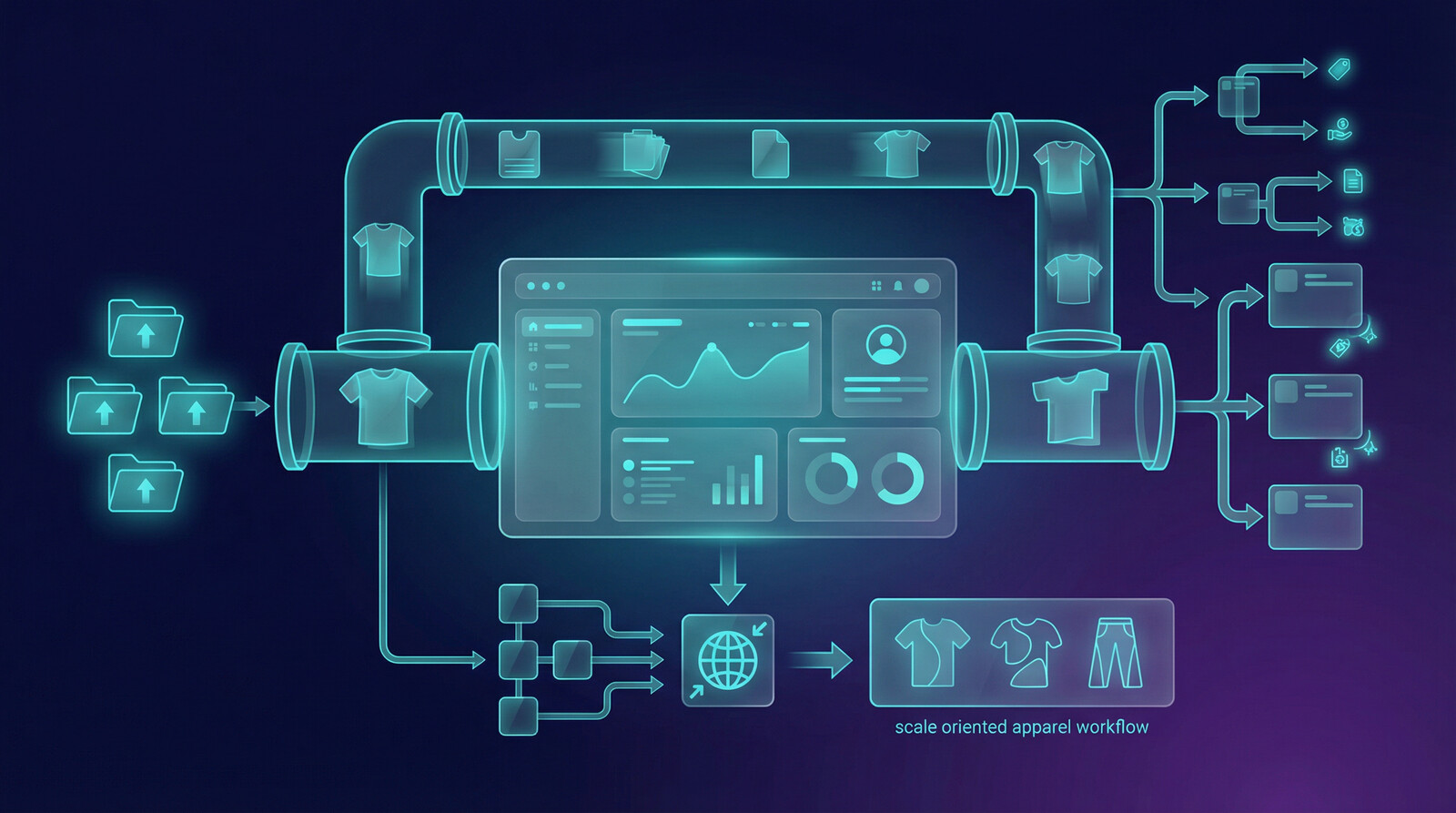
The fastest seller usually learns faster, not just designs better.
If you want a workflow that moves from design to mockup to listing to publish without breaking your pace, MyDesigns is built for exactly that kind of operator.
Frequently Asked Questions
+ What is the best free t-shirt mockup for Etsy sellers?
The best free t-shirt mockup for Etsy sellers is usually a clean browser-based generator that exports clear product images fast. The winner is not the one with the most effects. It is the one that helps your design look credible in a small thumbnail.
+ Are free t-shirt mockups good enough to make sales?
Yes, free t-shirt mockups can be good enough to make sales if they look clean, readable, and consistent with the rest of your shop. They stop working when they make the product feel low-effort or visually outdated.
+ Should I use PSD t-shirt mockups or an online generator?
Use an online generator when you need speed and testing volume. Use PSD t-shirt mockups when the design is already proven and you want extra polish for higher-value hero images.
+ How many mockup styles should an Etsy t-shirt shop use?
Most Etsy t-shirt shops should start with two to four dependable mockup styles. That is enough variety to keep listings interesting without making the shop look visually scattered.
+ How do I make free t-shirt mockups look more professional?
Make free t-shirt mockups look more professional by simplifying the design placement, improving contrast, using cleaner backgrounds, and keeping your visual style consistent across listings. Professional usually means clearer, not more complicated.
You do not need premium mockups to look serious. You need sharper standards and a workflow that keeps producing. That is the real difference between hobby sellers and operators.
Leave a Reply