


Most people overthink print on demand. They spend weeks researching platforms, obsessing over which niche is “hot right now,” and never actually launch anything. I’ve watched it happen over and over in the MyDesigns community.
Here’s the reality: print on demand for beginners is one of the lowest-barrier business models available right now. You don’t need inventory. You don’t need to rent a warehouse. You don’t even need design experience anymore – not with the AI tools that exist today. What you need is a clear roadmap and the willingness to actually start.
This guide gives you that roadmap. I’ll walk you through everything from understanding the business model to getting your first sale, without the fluff or the endless platform debates.
Key Takeaways
- Zero upfront inventory risk – Print on demand means products are only made when someone orders, so you never pay for stock that doesn’t sell.
- Design tools have changed everything – AI design tools like Dream AI mean you don’t need graphic design skills to create sellable products in 2026.
- Mockups close the sale – Professional product mockups are the difference between a listing that converts and one that gets ignored. This is where most beginners drop the ball.
- Your first 10 listings are just research – Don’t expect to nail it immediately. Treat your first listings as market research, not your retirement fund.
Table of Contents
- What Is Print on Demand and How Does It Work?
- Why Print on Demand Is Perfect for Beginners
- Choosing Your Niche and Products
- Creating Designs Without Being a Designer
- Setting Up Your Etsy or Shopify Store
- Mockups: The One Thing That Actually Sells Your Products
- Pricing Your Products for Real Profit
- Getting Your First Sales
- Common Beginner Mistakes (and How to Avoid Them)
- Frequently Asked Questions
What Is Print on Demand and How Does It Work?
Print on demand (POD) is a fulfillment model where products are printed and shipped only after a customer places an order. You design it, you list it, someone buys it – and your print provider takes care of the rest. You never touch the product.
The business model sits somewhere between traditional ecommerce (where you buy inventory upfront) and straight dropshipping (where you sell someone else’s products). With POD, the products are your designs on generic blank products. That’s a meaningful distinction – it means your shop has its own identity, not just a reseller storefront.
The Order Fulfillment Workflow
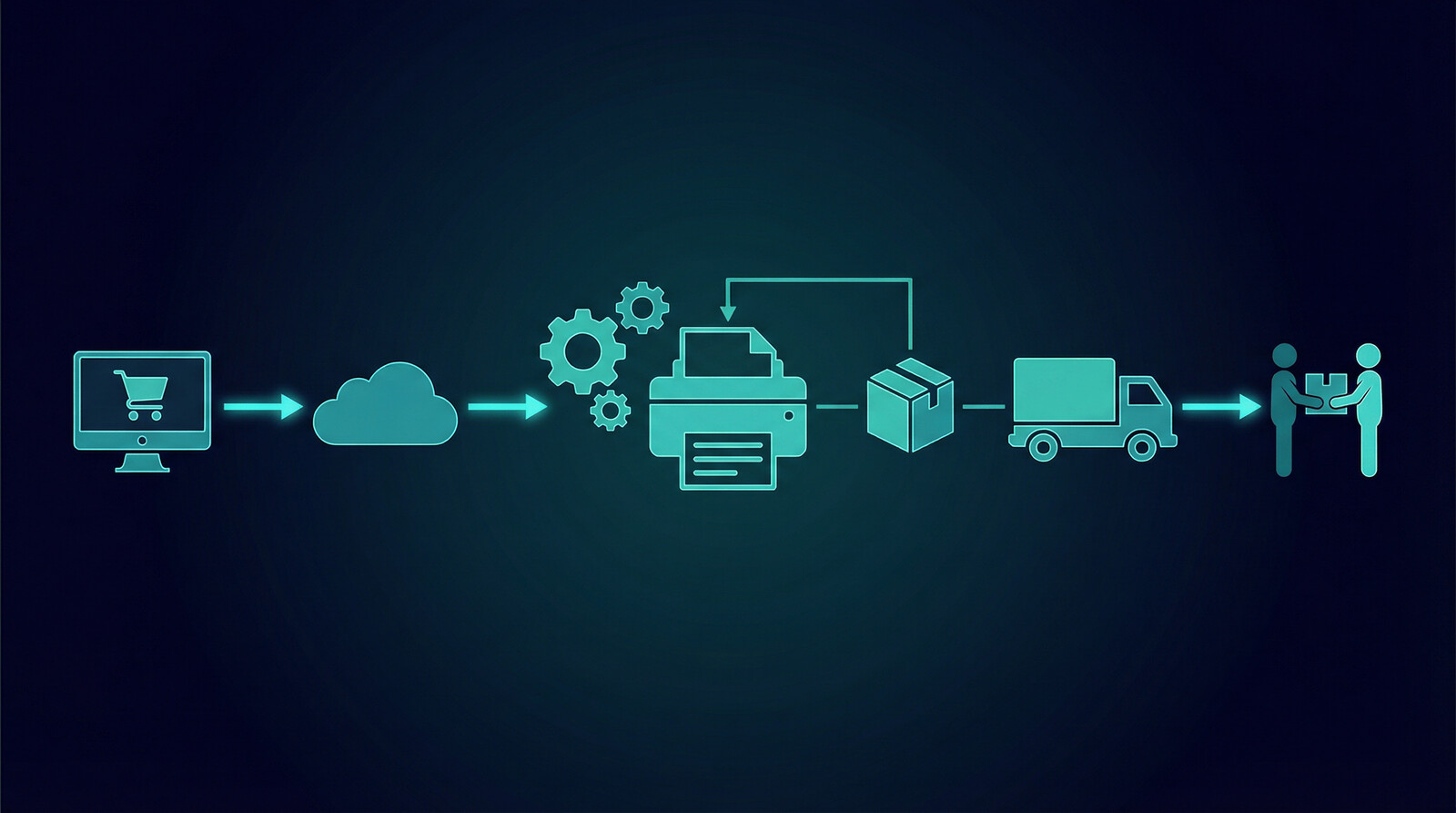
Here’s how a typical print on demand order flows:
- A customer finds your listing on Etsy or your Shopify store
- They place an order and pay you
- Your store automatically forwards the order to your print provider
- The print provider prints the design on the product (t-shirt, mug, tote bag, etc.)
- They package it and ship it directly to your customer – under your brand name if you’ve set that up
- You keep the difference between what the customer paid and the print provider’s cost
The entire process is automated. Once the integration is set up, you’re not doing anything manually. You’re running a product business with the operational overhead of a newsletter.
Print on Demand vs. Regular Dropshipping
Regular dropshipping means you’re selling someone else’s existing products – usually mass-manufactured goods with no unique angle. Print on demand means you’re creating original designs on blank products. Your products are yours. That’s what lets POD sellers build real brand recognition and charge premium prices.
The trade-off is that POD products cost more per unit than buying in bulk. Your margins are thinner than a traditional product business. But there’s no upfront investment, no storage costs, and no risk of ending up with 500 unsold mugs in your garage. For beginners, that trade-off is almost always worth it.
Good strategy matters. Fast execution is what turns it into revenue.
This is exactly where a cleaner workflow starts to matter more than another round of planning.
Why Print on Demand Is Perfect for Beginners
I’m going to say something that might sound controversial: print on demand is actually better suited to beginners than it is to experienced ecommerce operators. Here’s why.
Experienced sellers often get frustrated by the thinner margins. But beginners don’t have the capital to buy inventory upfront, the operational experience to manage fulfillment, or the risk tolerance to bet thousands of dollars on untested designs. Print on demand removes all three of those barriers.
No inventory risk. You pay for products only when they sell. Your cash flow risk is essentially zero. Compare that to a traditional product business where you might spend $5,000 on inventory before you’ve made a single dollar.
No fulfillment logistics. You’re not packing boxes, dealing with shipping labels, or managing returns manually. Your print provider handles all of that. This means you can run a POD shop from anywhere with a laptop and an internet connection.
Low startup costs. You can start a print on demand business for less than $50. Your main costs are your time and whatever design tools you choose to use. Etsy charges $0.20 per listing and takes a small percentage of sales. There’s no monthly minimum.
Fast iteration. If a design doesn’t sell, you haven’t lost money on inventory. You just learned something. Then you make a new design. This rapid feedback loop is how successful POD sellers find winning products – not through some genius insight up front, but through fast testing.
Explore how print on demand works with MyDesigns to see the full picture of what’s possible once you have the right tools behind you.
Choosing Your Niche and Products
This is where most beginners waste the most time. They either pick a niche that’s way too broad (“funny t-shirts”) or so obscure that there’s no actual demand. Neither works.
How to Research a Niche Before You Commit
Before you commit to a niche, you want to verify three things: there are buyers, there are existing sellers making sales (proof of demand), and there’s room for a fresh angle.
The best tool I’ve seen for this is Everbee. It shows you estimated monthly revenue for Etsy listings, which tells you whether a niche is actually generating sales – not just getting views. If the top listings in a niche are earning $2,000-$5,000/month, that niche is worth your attention. If the best-selling listing is making $100/month, move on.
EtsyHunt is another solid tool for keyword and trend research. It shows you search volume for Etsy keywords, which is direct insight into what buyers are actually searching for – not just what sellers are listing.
Good POD niches tend to share a few characteristics: they have a passionate community (dog owners, nurses, teachers, specific fandoms), buyers in the niche make purchase decisions emotionally, and they’re underserved by generic mass-market products. Think “golden retriever mom” over “dog lover.”
Best Products to Start With
T-shirts and hoodies are the obvious starting point – and for good reason. They have the highest search volume and the most buyer intent on Etsy. But they’re also the most competitive. If you’re going into apparel, you need a genuine niche angle.
Mugs are often overlooked and underrated. They have great margins, they’re gift-friendly, and they convert well for seasonal and sentimental niches. Same with tote bags and phone cases.
Wall art and prints are worth considering if you’re more design-focused. Lower production cost, high perceived value, and the buyer is often looking for something specific – which means your niche targeting can do a lot of the heavy lifting.
My recommendation for most beginners: start with 2-3 product types maximum. Master your niche on those before expanding. Spreading across 15 product types before you’ve found product-market fit is a common mistake that just slows you down.
Creating Designs Without Being a Designer

Here’s the thing most beginner guides won’t tell you: design skill is no longer the bottleneck it used to be.
Two years ago, if you weren’t proficient in Adobe Illustrator or at least Canva, your designs were going to look amateur. That created a real barrier. Today, AI design tools have essentially erased that barrier. You can generate professional-quality, print-ready artwork from a text prompt in under a minute.
We built Dream AI specifically for print on demand sellers. You describe what you want, the AI generates it, and you get artwork that’s actually usable on products – not just a pretty picture. The difference matters: POD designs need clean backgrounds, specific color profiles, and the right file specifications for print. Dream AI is built around those requirements from the ground up.
A few principles that separate designs that sell from designs that don’t:
- Text sells on POD. Surprisingly, typography-based designs consistently outperform complex illustrated designs in most niches. A well-typeset quote or niche-specific phrase on a t-shirt will often outsell an elaborate graphic.
- Readable at a glance. Your potential customer is scrolling through search results. If they can’t immediately understand what your design is about, they’ll scroll past.
- Niche-specific = higher conversion. A generic “I love dogs” design competes with 10,000 listings. “Bernese Mountain Dog Mom” competes with 50. Narrower always wins on conversion rate.
If you want to check whether your design concept has legs before you invest time in creating it, Vision AI can help you optimize your product titles and descriptions for what buyers are actually searching for – which gives you a read on demand before you even list.
If you want better output, the workflow has to make launching easier, not harder.
The advantage usually goes to the sellers who can create, organize, and publish without getting buried in manual work.
Setting Up Your Etsy or Shopify Store
Starting on Etsy
Etsy is where I recommend most beginners start. The reason is simple: built-in traffic. Etsy has over 90 million active buyers. When you list on Etsy, you’re showing up in a marketplace where people are already shopping with credit card in hand. You don’t need to build an audience first.
The trade-off is fees. Etsy charges a $0.20 listing fee, a 6.5% transaction fee, and a payment processing fee. Your margins will be tighter than on your own store. But in the early days, paying for traffic through fees is almost always better than trying to generate traffic from scratch through ads or social media.
Setting up an Etsy shop takes about an hour. You’ll need a PayPal account or bank account connected for payouts, a shop name (make it brandable, not keyword-stuffed), and your first listings ready to go. Etsy gives you a grace period to set up before your shop goes public.
For your listings, your title and tags are everything. Etsy’s search algorithm heavily weights relevance, so you want your primary keywords in your title (naturally, not stuffed) and all 13 tag slots filled with relevant terms. Use EtsyHunt to find the exact keyword phrases buyers are searching for in your niche.
Starting on Shopify
Shopify makes more sense once you’ve validated your niche and have some Etsy traction. Your own store means better margins, full control over branding, and the ability to build an email list – which Etsy doesn’t let you do.
The challenge is traffic. With a Shopify store, you need to drive your own visitors through SEO, paid ads, or social media. That’s a meaningful added responsibility that can distract a beginner from what actually matters in the early stages: finding winning designs.
That said, Shopify is a great long-term play. Many successful POD sellers run both – Etsy for discovery and Shopify for repeat customers and higher-margin sales.
MyDesigns integrates with both platforms, so your workflow stays the same regardless of where you’re selling. You can use Bulk Publish to push listings live across multiple shops simultaneously, which is a significant time saver once you’re operating at scale.
Mockups: The One Thing That Actually Sells Your Products
I want to spend some real time on this because it’s the most underestimated factor in POD success, especially for beginners.
Your mockup – the product photo your customer sees in your listing – is doing more work than your design. A mediocre design on a great mockup will outsell a great design on a mediocre mockup almost every time. Buyers are making purchase decisions based on how the product looks in your listing photo, not on the design spec sheet.
Bad mockups look like stock images from 2015. Flat, generic, no lifestyle context, bad lighting. They signal to buyers that your shop is amateur, even if your design is excellent.
Good mockups put your design in context. Someone wearing the shirt. The mug on a wood table with morning light. A tote bag hanging from a shoulder. This is where MyDesigns’ mockup generator becomes a real competitive advantage. You get access to hundreds of lifestyle mockup scenes, and you can generate professional images for any product in seconds – not hours.
A few mockup rules that will immediately improve your conversion rate:
- Use at least 5-10 photos per listing (Etsy allows up to 10)
- Lead with a lifestyle mockup, not a flat product shot
- Show multiple colorways if you offer them
- Include a close-up detail shot so buyers can see the design clearly
- Match the vibe of your niche – a nurse humor mug should look different from a luxury home decor print
Pricing Your Products for Real Profit
Most beginners price too low. I see it constantly. They look at competitors charging $18 for a t-shirt and think they need to undercut to get sales. This is almost always wrong.
Here’s the math you need to understand. If your print provider charges $12 to produce a t-shirt, and you sell it for $18, your gross profit is $6. Subtract Etsy fees (roughly $1.60 on an $18 sale), and you’re left with about $4.40 per sale. That’s a 24% margin. That’s barely worth your time.
Price at $25-$28 for a standard t-shirt, and your gross profit jumps to $13-$16, giving you margins in the 45-55% range. Yes, you’ll get fewer sales at that price point. But you’ll make more money with fewer orders, less customer service, and less stress.
The sellers who undercut on price are almost never the ones building sustainable businesses. The sellers doing $10K/month on POD are typically priced at the premium end of their category, competing on design quality and niche targeting – not on being the cheapest option.
| Product Type | Typical Print Cost | Recommended Sell Price | Estimated Margin |
|---|---|---|---|
| Unisex T-Shirt | $10-$14 | $24-$29 | 45-55% |
| Hoodie | $22-$28 | $45-$55 | 40-50% |
| Ceramic Mug (11oz) | $7-$10 | $18-$24 | 50-60% |
| Tote Bag | $9-$13 | $22-$28 | 45-55% |
| Poster / Art Print | $5-$12 | $18-$35 | 50-65% |
These are guidelines, not rules. Your niche will influence what buyers expect to pay. High-end home decor buyers will pay more. Bargain-hunting gift buyers are more price sensitive. Study what successful sellers in your specific niche charge – not what the generic “best price” articles say.
The difference between reading and publishing is where momentum usually gets lost.
If you want this strategy to actually turn into output, the workflow after the idea matters just as much as the idea itself.
Getting Your First Sales
Your first 10 sales are the hardest. Not because of anything structural – just because your shop has no social proof, no reviews, and no algorithm momentum. Here’s how to break through.
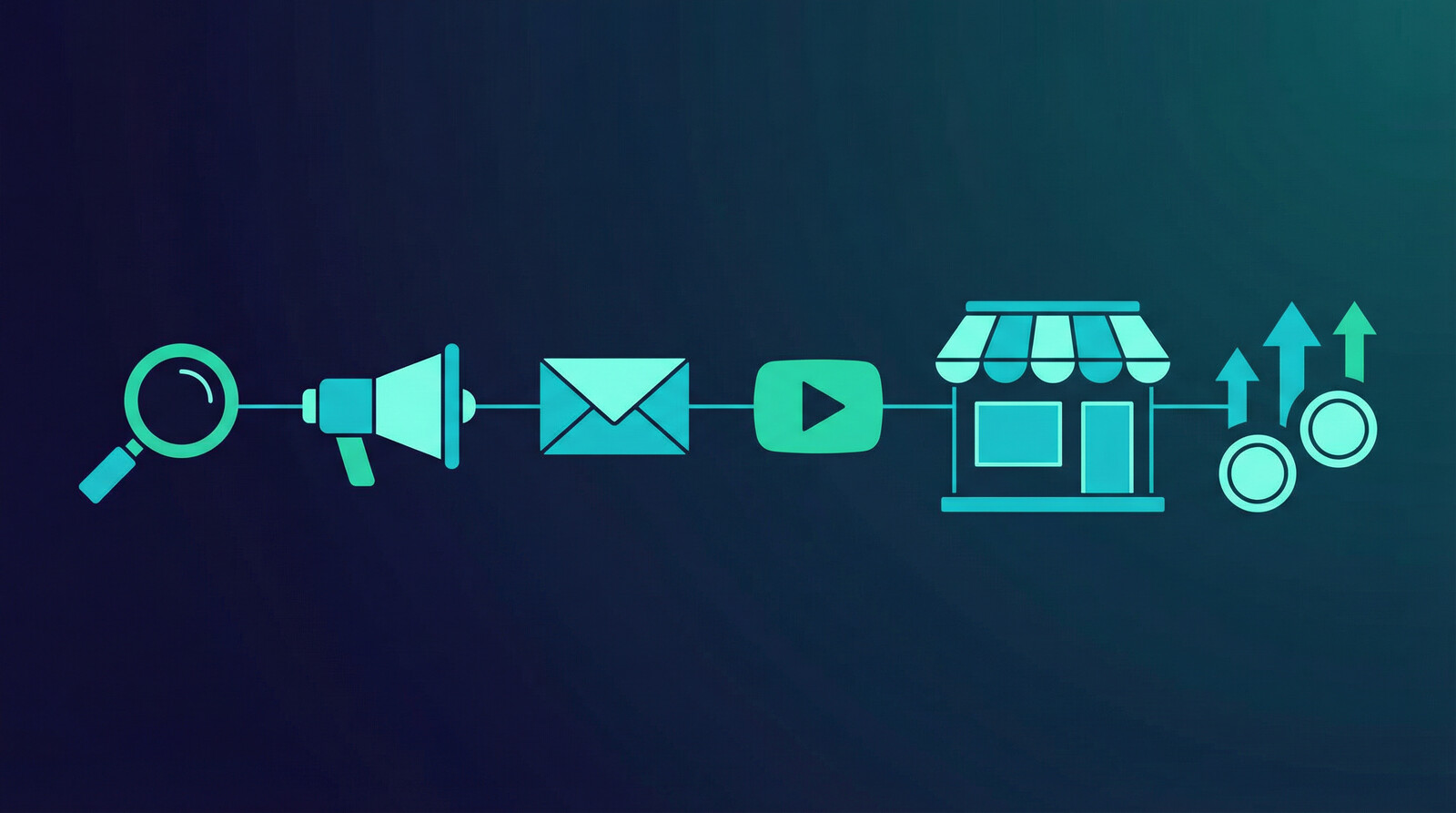
Etsy SEO first. Every hour you spend optimizing your titles, tags, and descriptions is compounding work. Good Etsy SEO brings you traffic for months or years without you doing anything additional. Focus here before you touch paid ads.
Pin your listings. Pinterest is dramatically underused by POD sellers. It’s a search engine, not just a social network, and it sends purchase-intent traffic to Etsy shops. Create pins for each of your listings – especially lifestyle mockup photos – and link them directly to your Etsy listings. This is free traffic that most of your competitors aren’t pursuing.
Use your social circle for first reviews. Your first sale doesn’t need to come from a stranger. Tell your friends and family what you’re doing. Sell to them at cost if needed, just to get those first few reviews on your shop. Reviews dramatically improve conversion rates from organic Etsy traffic.
Etsy Ads – but carefully. Once you have a few listings with solid mockups and optimized copy, you can run Etsy Ads at a small daily budget ($1-$3/day per listing) to accelerate discovery. The key is to only advertise listings that already have some organic impressions – it tells you there’s at least some search demand before you spend money on it.
Volume matters more than you think. I’ve seen sellers with 20 listings wonder why they’re not making sales, and sellers with 200 listings generating consistent daily revenue. More listings means more surface area for buyers to find you. Your first priority after your initial launch should be expanding your catalog methodically.
This is exactly why we built Bulk Publish into MyDesigns. When you can push 50 listings live in the time it used to take to do 5, you can scale your catalog without burning out. One seller I spoke with went from 40 listings to 400 in about three weeks using it. The math on discovery is just completely different at that volume.
Common Beginner Mistakes (and How to Avoid Them)
After working with thousands of POD sellers through MyDesigns, I’ve seen the same patterns play out over and over. Here are the mistakes that kill most beginners before they ever get traction.
Waiting for the perfect design. This one kills more potential POD businesses than anything else. Your first designs don’t need to be perfect. They need to be in market. You learn what sells by getting listings live and seeing what gets clicks, what gets saves, and what gets purchases. You don’t learn anything while you’re still tweaking your design in Canva.
Ignoring the data. Etsy gives you listing stats – views, favorites, conversion rate. Most beginners ignore this completely. If a listing has 500 views and 0 sales, that’s not bad luck, that’s a signal. Either the mockup isn’t converting, the price is wrong, or the design isn’t resonating with the buyer. Data tells you which one.
Copying instead of iterating. There’s a difference between using successful listings as inspiration and just copying them. Copying puts you in direct competition with sellers who have more reviews, more social proof, and more algorithm momentum. Iteration means taking what’s working in a niche and adding your own angle – a different product, a better mockup, a sharper piece of copy.
Giving up too early. Most POD shops don’t make their first sale within the first week. Or even the first month. Etsy’s algorithm takes time to index new listings and learn who to show them to. I’ve seen sellers quit at 60 days and miss what would have been a breakthrough at 90 days. This is a slow-build business. It compounds over time.
Skipping mockups. Already covered this above, but it bears repeating: bad mockups are the #1 reason good designs don’t sell. If you’re not using professional-quality lifestyle mockups from day one, you’re making everything else harder.
Check the MyDesigns pricing page to see what tier fits where you are right now. The free plan gets you started, and you can always upgrade as your catalog and revenue grow.
Frequently Asked Questions
+ How much money do you need to start print on demand?
You can start a print on demand business with less than $50. Etsy charges $0.20 per listing and transaction fees only when you make a sale. Your main costs are optional design tools and listing fees. Many sellers start with free tools and reinvest early profits into paid subscriptions as they grow.
+ How long does it take to make your first sale with print on demand?
Most beginners make their first sale within 30-90 days of launching their shop. The timeline depends heavily on how many listings you have, how well-optimized your SEO is, and how good your mockups are. Shops with 50+ listings that are properly optimized tend to see their first sale much faster than shops sitting at 5-10 listings.
+ Do I need design skills to start print on demand?
No. AI design tools have changed this completely. You can generate print-ready designs from a text description using tools like Dream AI inside MyDesigns. That said, having a good eye for what looks clean and on-brand still matters – it just doesn’t require years of Photoshop experience anymore.
+ Is print on demand still profitable in 2026?
Yes, print on demand is still profitable in 2026. The market is more competitive than it was five years ago, but the tools available to sellers are dramatically better. AI design generation, automated listing, and professional mockup tools have leveled the playing field for beginners. Sellers who use these tools intelligently are building real income streams right now.
+ What is the best platform for print on demand beginners?
Etsy is the best starting platform for most print on demand beginners. The built-in marketplace traffic means you don’t need to build an audience before you can make sales. Once you’ve validated your niche and built some cash flow, adding a Shopify store gives you better margins and more control over your brand and customer relationships.
+ How many listings do I need to start making consistent sales?
Most sellers start seeing consistent daily sales somewhere between 50-100 listings. This isn’t a hard rule – a shop with 20 perfectly-targeted listings in a tight niche can outperform a 200-listing shop with poor optimization. But in general, more listings means more surface area for buyers to find you through Etsy search.
Print on demand rewards the people who actually start. The strategy is not that complicated. Pick a niche with real buyers, create designs that speak to that audience, use professional mockups, price for margin not for volume, and keep adding listings. That’s it.
The sellers I’ve seen scale to $5K, $10K, $20K per month aren’t doing anything fundamentally different from what’s in this guide. They’re just doing it consistently, using good tools, and not quitting when the first 30 days don’t produce results.


Leave a Reply