


Most sellers treat custom labels like a tiny sticker category. I think that is the wrong frame.
Labels are not just decoration. They are packaging, branding, organization, gifting, shipping, small business inventory, wedding favors, candles, soap jars, food packaging, classroom supplies, party goods, and repeat purchases hiding in plain sight.
If I were building a label product line today, I would not start by making one cute design and hoping Etsy likes it. I would build a system: focused use cases, reusable templates, clean mockups, strong personalization options, and a publishing workflow that lets me test dozens of angles without doing the same work over and over.
Key Takeaways
- Custom labels sell because they solve practical problems – buyers need packaging, organization, event details, and brand polish, not just pretty art.
- Use-case targeting beats generic design – candle labels, pantry labels, wedding favor labels, and small business packaging each need different copy, sizing, and visuals.
- Reusable templates are the real margin – one strong layout can turn into dozens of personalized label listings when your workflow is built correctly.
- Speed matters more than perfection – the seller who tests 80 clean label concepts usually learns faster than the seller polishing one design for a week.
Table of Contents
- Why Custom Labels Work Better Than Most Sellers Realize
- Choose Custom Label Products Around Real Use Cases
- A Label Design System Beats Random One-Off Artwork
- Custom Labels Need Listings Built for Search and Trust
- Create Once, Publish Many Without Losing Quality
- Pricing Custom Labels Without Racing to the Bottom
- Use Custom Labels as a Repeat-Order Business
- Frequently Asked Questions
- Build the System Before You Chase the Bestseller
Why Custom Labels Work Better Than Most Sellers Realize
I like label products because the buyer often already knows why they need them. That is a very different game from trying to convince someone to buy another cute graphic tee.
A candle maker needs branded labels. A baker needs ingredient or packaging labels. A parent needs school supply labels. A wedding planner needs favor labels. A small shop owner needs polished packaging without hiring a designer. These are not vague browsing moments. They are jobs to be done.
That is why I would treat custom labels as a utility category with creative upside. The design matters, but the buyer is really paying for clarity, trust, personalization, and speed.
Labels are buyer intent, not just product art
When someone searches for custom labels, they usually have an object in mind: jars, boxes, bottles, candles, envelopes, pantry containers, party favors, product packaging, or kids’ items. Your listing should make that use case obvious in the first few seconds.
This is where many sellers get lazy. They upload a pretty label mockup and write a broad title. I would rather publish a specific listing called something like personalized candle jar labels for small batch makers than a generic custom label design.
The repeat purchase angle is underrated
Labels can turn into repeat buyers because businesses reorder packaging and families reorder organizational products. A one-time poster sale is nice. A small business that comes back every time they launch a scent, flavor, batch, event, or seasonal promotion is better.
That is also why I would build a catalog with consistency. If a buyer likes one template, they should be able to come back and find matching versions for other use cases.
Choose Custom Label Products Around Real Use Cases
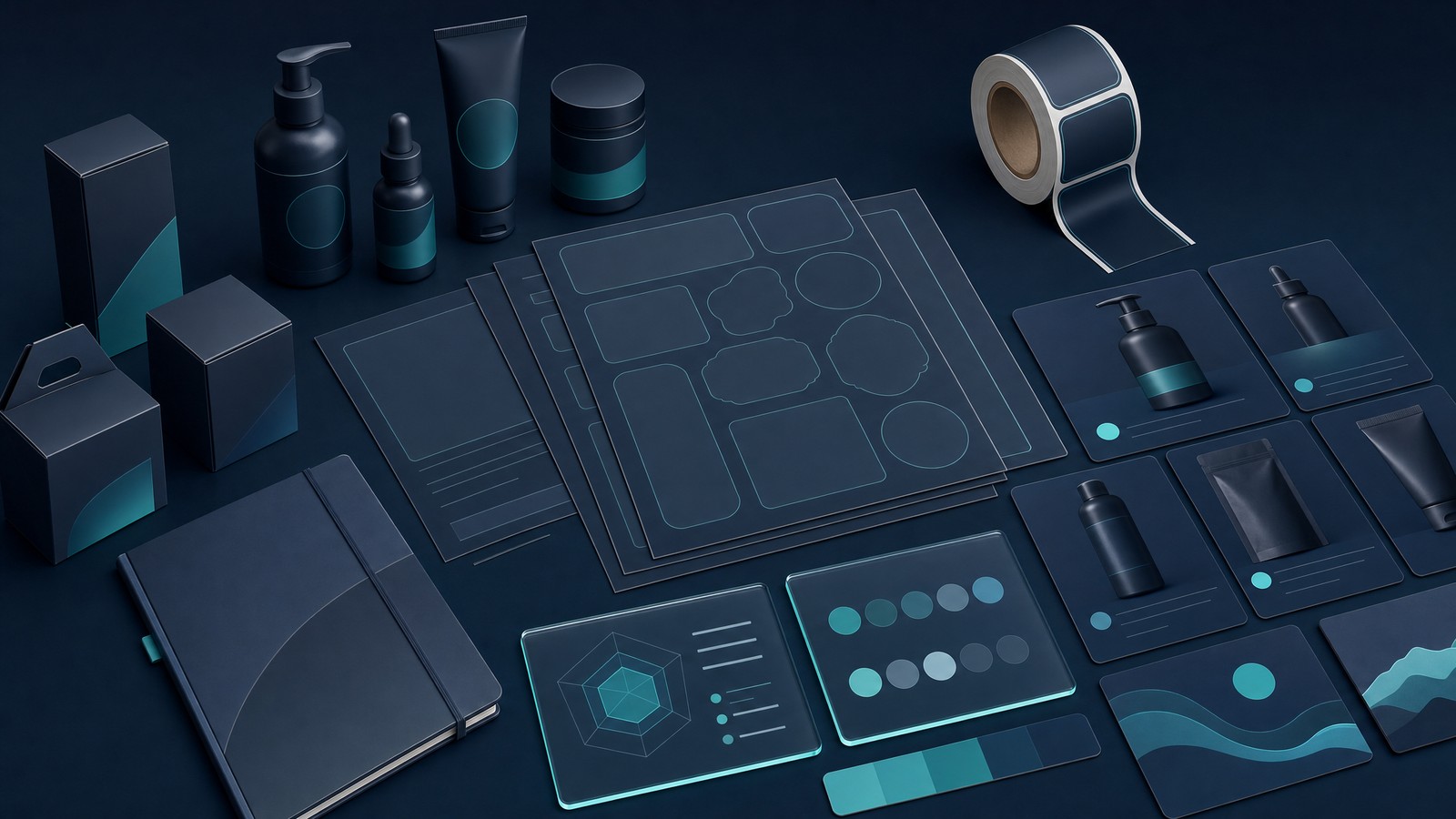
The fastest way to make this category messy is to start with formats instead of buyers. Do not ask, “What label can I make?” Ask, “Who needs a label badly enough to pay for it this week?”
If you start there, the product choices get cleaner. You can still sell stickers, label sheets, product labels, packaging labels, and digital label templates, but each one needs a clear use case.
For marketplace rules, personalization policies, and what sellers can list, read the official Etsy Seller Policy and keep your listings honest. No trademark shortcuts. No fake brand names. No copying popular packaging styles.
Best label formats to test first
If I were starting from zero, I would test these formats first:
- Product packaging labels for candles, soaps, jars, bottles, baked goods, and handmade products.
- Organization labels for pantry containers, kids’ supplies, moving boxes, craft rooms, and offices.
- Event labels for weddings, showers, birthdays, party favors, and thank-you packaging.
- Business labels for small brands that need logo-free templates, custom wording, and professional presentation.
- Sticker-style label sheets for buyers who want sets rather than one-off labels.
Notice what is missing: random decoration. Decorative labels can sell, but practical labels usually give you clearer search intent.
Niches I would prioritize
I would prioritize niches with repeat events or repeat inventory. Candle makers, soap makers, bakers, coffee roasters, wedding shops, pantry organization buyers, teachers, and small ecommerce brands all have reasons to buy more than once.
Use Google Trends to sanity-check seasonal demand. Then use marketplace autocomplete to see how buyers phrase the problem. Do not build only from your taste. Build from buyer language.
A label catalog gets easier when your products, mockups, and listings live in one place.
MyDesigns helps you organize product ideas, create visuals, and move faster once you know which label use cases you want to test.
A Label Design System Beats Random One-Off Artwork
The old Etsy playbook was to make a design, upload it, and hope the algorithm blessed you. That is too slow now.
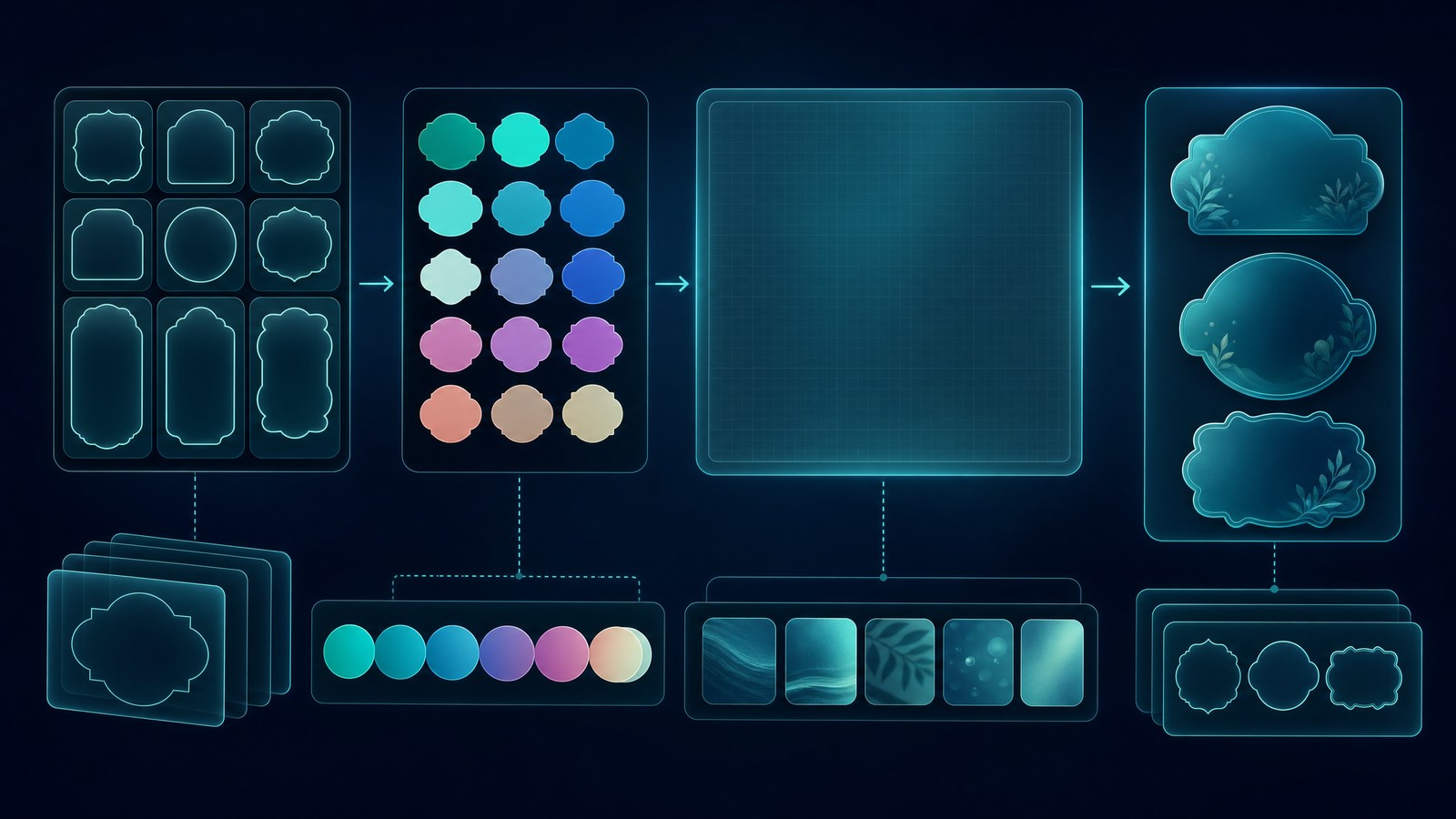
For custom labels, I would build a design system first. A design system is just a repeatable set of layouts, shapes, spacing rules, mockup styles, and personalization fields. It keeps your catalog from looking like 40 unrelated experiments.
This is where tools like Dream AI, Canvas, and Image Utilities can help you move from idea to finished asset faster. The goal is not to generate random art. The goal is to build a repeatable production lane.
Build templates before you build listings
Start with a few base template families:
- Minimal premium for candles, skincare, coffee, and boutique packaging.
- Playful family for school labels, party labels, kids’ storage, and gifts.
- Rustic handmade for soap, baked goods, preserves, and market sellers.
- Clean business for shipping labels, thank-you stickers, product seals, and packaging inserts.
Each family can support multiple products. That is the point. You are not designing one label. You are designing a catalog architecture.
Personalization fields should be planned early
Personalization is where label listings can get profitable, but it can also destroy your time if you do not plan it. Decide what buyers can change before the listing goes live.
I would keep early personalization fields tight: name, product type, scent or flavor, event date, short phrase, color option, and quantity. Do not let buyers rewrite the entire design unless your workflow can handle it.
Etsy has specific policies around handmade, personalized, and made-to-order items, so make sure your production flow matches what you promise in the listing. The Etsy Seller Handbook is worth reviewing before you scale a personalized catalog.
Custom Labels Need Listings Built for Search and Trust
Your listing title should not sound like a design file name. It should sound like the phrase a buyer would type while solving a real problem.
For example, “custom product labels” is a broad keyword. “Personalized candle labels for small business packaging” is sharper. “Custom pantry labels for glass jars” is sharper. “Wedding favor labels for mini honey jars” is sharper still.
Map buyer language before writing titles
Before writing listings, I would build a simple keyword map with columns for buyer, object, occasion, material, and personalization. That gives you combinations without making titles unreadable.
| Buyer intent | Example angle | Why it works |
|---|---|---|
| Small business packaging | Custom product labels for jars or boxes | Business buyers care about polish, consistency, and reorder speed. |
| Home organization | Custom pantry labels for containers | The buyer can picture the finished use immediately. |
| Events | Personalized wedding favor labels | Occasion-based demand creates urgency and clear personalization needs. |
| Gifts | Custom labels for handmade gifts | Gift buyers want the item to feel personal without starting from scratch. |
Your mockup stack has one job
Your mockups need to remove uncertainty. They should answer: What does this label look like on the product? How big is it? What can I personalize? What do I get after ordering?
Use the MyDesigns Product Mockups workflow to create cleaner listing visuals, then connect that work to your broader Listing Management process. Better visuals are not decoration. They are trust signals.
Do not scale a custom label line until the margin makes sense.
Compare plan options, publishing volume, and workflow needs before you commit to building a full catalog.
Create Once, Publish Many Without Losing Quality
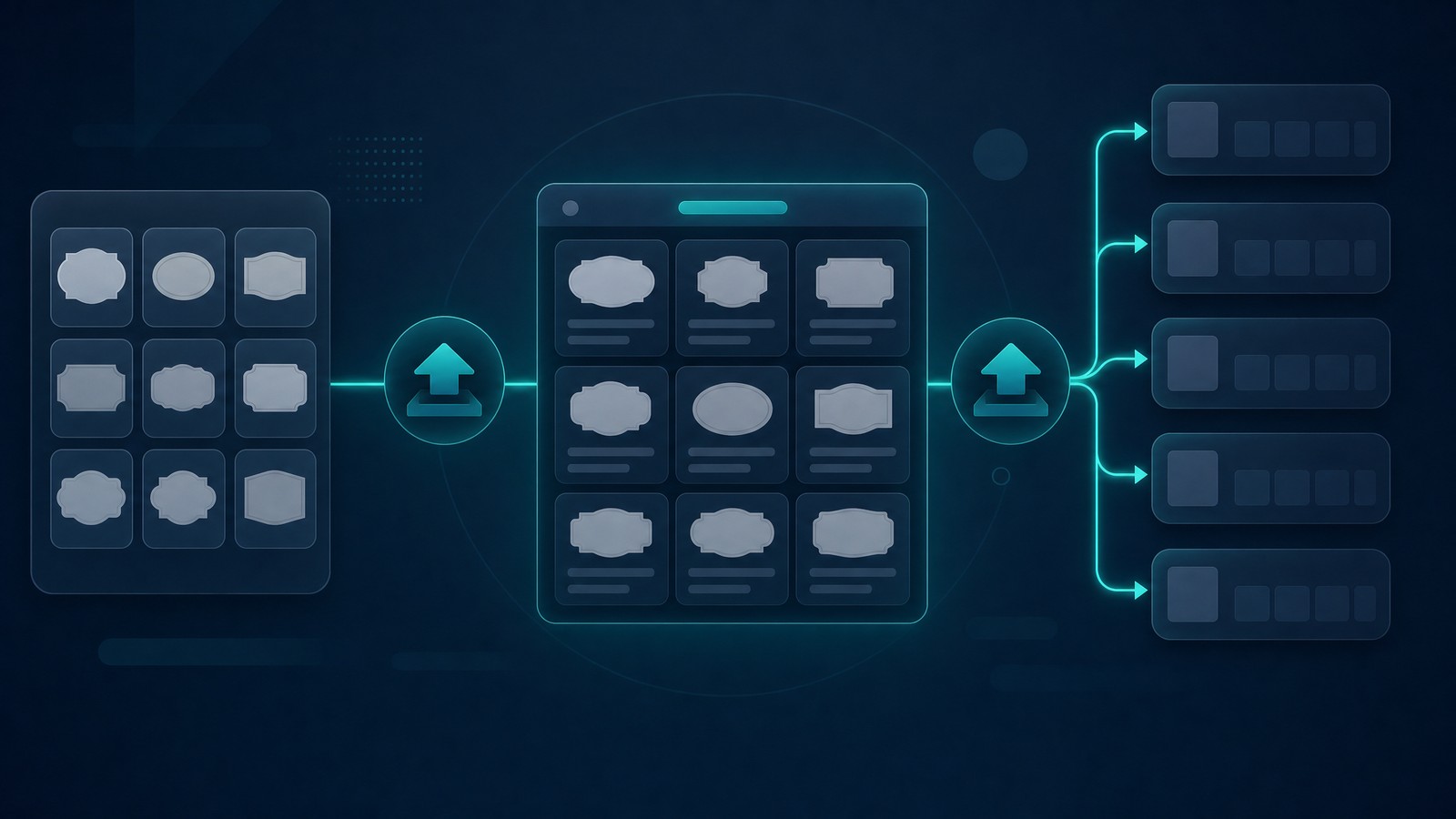
The bottleneck is not making one label. The bottleneck is creating enough strong listings to discover what buyers actually want.
I watched this pattern play out again and again with sellers: the ones who learn fastest are not always the best designers. They are the ones with a cleaner system for testing. They can turn one concept into a product family, publish it, read the data, and improve.
That is why Bulk Publish, Multi-Product Publishing, and a structured product catalog matter. Manual uploading feels harmless when you have five listings. It becomes a tax when you need 75.
The bulk method I would use
My starting workflow would look like this:
- Pick one buyer type, such as candle makers or pantry organization buyers.
- Create three design families with consistent spacing, shape, and mockup direction.
- Build 10 keyword-led listing angles for each family.
- Create mockups in batches so the shop looks cohesive.
- Publish in controlled groups and track which intent clusters earn views and saves.
This is not glamorous. It works because it turns guessing into testing.
Quality checks before publishing
Before a label listing goes live, check sizing, bleed, personalization instructions, file accuracy, spelling, image clarity, and fulfillment expectations. If you sell physical labels, be clear about production and shipping time. If you sell digital templates, be clear about file type and editing requirements.
Also review Etsy’s fee policy before pricing. A product can look profitable until listing fees, transaction fees, payment processing, ads, production cost, and rework time show up.
If every label listing takes an hour, you will stop before the data gets useful.
Create, organize, and publish product concepts faster so your energy goes into learning the market, not repeating admin work.
Pricing Custom Labels Without Racing to the Bottom
The worst way to price custom labels is to look at the cheapest listing and undercut it. That trains you to compete on pain.
I would price based on the total job: design quality, personalization time, production cost, platform fees, support, revisions, and the buyer’s business value. A bakery that needs polished packaging for a market weekend is not buying the cheapest pixels. They are buying confidence.
| Pricing factor | What to watch | Founder take |
|---|---|---|
| Personalization time | How many fields buyers can change | Limit options until your workflow is proven. |
| Fulfillment cost | Print, packaging, shipping, replacements | Do not ignore reprints and support time. |
| Design depth | Template complexity and perceived quality | Premium packaging buyers will pay for polish. |
| Order size | Singles, sheets, rolls, bundles | Bundles can lift order value when the use case is clear. |
If you use paid tools to create and publish, include that in your math. MyDesigns pricing starts with a Free plan, then monthly billing options like Starter at $24.99/mo, Pro at $49.99/mo, and Pro Plus at $99.99/mo. Annual billing is discounted, so check the pricing page based on how much volume you actually plan to publish.
A better workflow should pay for itself in saved time and faster testing.
If you are serious about label products, compare the cost of the tool against the hours you would spend creating mockups, listings, and variations manually.
Use Custom Labels as a Repeat-Order Business

The biggest upside in custom labels is not one viral listing. It is repeat demand.
When a small business buyer likes your label style, they may need matching labels for new scents, sizes, flavors, seasonal bundles, thank-you packaging, product launches, and wholesale kits. That is a better path than chasing a new audience every week.
Small business buyers are different
Business buyers care about consistency. They want the next order to match the last order. They want clear revision rules. They want fast communication and predictable files. If you can make their packaging look better without making their day harder, you become useful.
This is where I would keep templates organized by buyer and product family inside a system, not scattered across folders. When a customer comes back, you should be able to find the design fast.
Seasonal expansion is where the catalog compounds
Once a label template works, seasonal expansion becomes obvious: holiday candle labels, fall bakery labels, wedding favor labels, graduation party labels, farmer’s market labels, back-to-school labels, and limited-run packaging.
You do not need to reinvent the product each time. You need to refresh the use case, design treatment, and listing angle. That is exactly the kind of repetitive work a smart workflow should compress.
Frequently Asked Questions
+ Are custom labels profitable to sell online?
Custom labels can be profitable when you control design time, production cost, personalization scope, and listing volume. The best opportunities usually come from specific buyer needs like product packaging, pantry organization, events, and small business branding.
+ What types of custom labels sell best?
The best custom labels are usually tied to clear use cases: product packaging labels, candle labels, pantry labels, wedding favor labels, business packaging stickers, and personalized organization labels. Specific intent usually beats broad decorative designs.
+ Can I sell custom labels without holding inventory?
Yes, you can sell custom labels without holding inventory if your fulfillment setup prints or delivers the product after purchase. You can also sell digital label templates, but your listing must clearly explain what the buyer receives.
+ How should I price custom labels?
Price custom labels by adding production cost, platform fees, personalization time, support time, and desired margin. Do not compete only on the lowest visible price, because personalization and rework can eat profit quickly.
+ Do I need design experience to sell custom labels?
You do not need advanced design experience, but you do need clean templates, readable layouts, and consistent product visuals. A simple, polished label system usually beats complicated designs that are hard to customize.
Build the System Before You Chase the Bestseller
Custom labels are not a magic category. They reward sellers who understand buyers, organize templates, control personalization, and publish enough clean listings to learn from the market.
If I were starting today, I would build one tight label system for one buyer type, publish a focused batch, track what gets attention, then expand the winners into related formats. Small, fast, disciplined. That is how you keep momentum.


Leave a Reply