


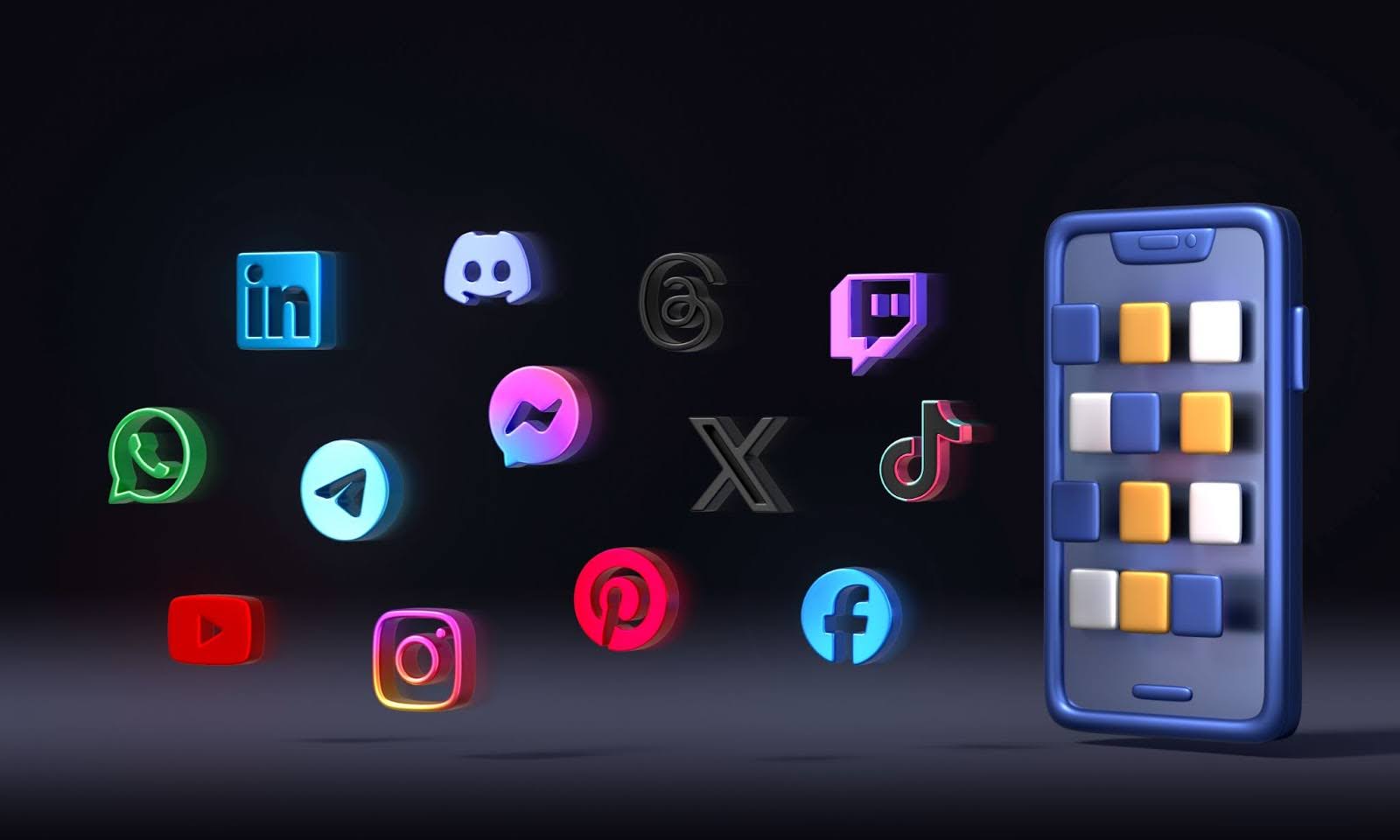
 Not all social platforms are created equal for every business. The key is to choose platforms that align with your target audience and product type. You want to be active where your potential customers spend their time. Consider these popular platforms and their strengths for digital product marketing on social media:
- Instagram: A highly visual platform, perfect for showcasing art prints, graphics, and printables. Instagram’s user base skews towards 18–34 year olds, ideal for reaching millennials and Gen Z. It’s great for lifestyle shots of your products and behind-the-scenes content. Instagram’s built-in shopping tags and link in bio can drive traffic to your product pages.
- TikTok: The epicenter of short-form video. TikTok’s algorithm can catapult even new creators to viral status. If you can make engaging short videos (demos, quick tips, or satisfying digital art creation clips), TikTok is a goldmine for selling digital products. Its user base is very young (teens and 20s), and it’s a top platform for discovery.
- Pinterest: A visual discovery engine where users search for inspiration. Pinterest is fantastic for digital downloads like planner pages, patterns, or templates—content with a long shelf life. Create attractive pin graphics for your products (e.g. a Pinterest pin showcasing a printable or a before-and-after using your design asset). Pins can drive steady organic traffic to your online store or Etsy shop over time.
- Facebook: The go-to for community building. Facebook’s audience spans all ages (especially 30+). It’s useful for creating brand pages and private groups for your customers (e.g. a group for sharing tips using your digital products). Facebook is also strong for running ads to targeted demographics. If your products appeal to niche communities, consider engaging in Facebook Groups where those audiences gather (always add value, don’t just spam your links).
- YouTube: If your digital product benefits from tutorials or longer demonstrations, YouTube is ideal. For instance, if you sell an online course or software, you can publish how-to videos, webinars, or sample lessons. YouTube is essentially a search engine for video; optimize your video titles and descriptions with relevant keywords (like “how to use [your product]”). It’s a slower build, but videos can continuously bring traffic as they rank in search.
- Twitter/X: Twitter (now X) can work if you have a tech or writing-focused digital product (e.g. code snippets, or an e-book for entrepreneurs) and you engage in those communities.
- LinkedIn: LinkedIn is useful if your product targets professionals or B2B (e.g. a digital toolkit for marketers or business templates). Choose LinkedIn only if your ideal customer is active there. LinkedIn offers huge exposure if you receive enough engagement with your posts so definitely worth considering for the right kind of products.
It’s better to focus on fewer platforms and do them well, rather than spread yourself thin across every network. Research which platforms your existing customers use most. For example, if you sell Procreate brushes for designers, Instagram and Pinterest might yield better results than Twitter or LinkedIn.
MyDesigns Pro Tip: Use automation to simplify multi-platform management. MyDesigns’ Bulk Publish feature lets you publish or update multiple product listings across platforms like Etsy, Shopify, and even TikTok Shops in one go. This means you can focus on creating content for social media, while your product info is synced everywhere. Picking the right platforms and leveraging tools to manage them will set you up for success.
 Once you know where to post, the next step is what to post. A clear, goal-driven social media content strategy for digital downloads will keep your audience engaged and drive sales. Here’s how to craft a high-impact content plan:
Define Your Content Pillars
Start by outlining 3-5 core themes for your content. These pillars should align with your brand and audience interests. For example:
Product Showcases – Highlight your digital products in action (e.g. a mockup of your printable in a frame, or a screen recording of your software).
Educational Tips – Share value-adding content like “How to use XYZ” or creative ideas related to your product (e.g. design tips if you sell graphics, budgeting tips if you sell a finance planner).
Behind-the-Scenes – Humanize your brand by showing your creative process, workspace, or a day in the life of a digital product creator.
Testimonials/UGC – Feature user-generated content such as customer testimonials, reviews, or examples of customers using your digital goods. This is social proof that builds trust.
Promotions/Announcements – Post about new product launches, flash sales, or discounts for your followers.
By rotating through these content types, you keep your feed fresh and cater to different audience needs (informational, emotional, transactional).
Build a Content Calendar
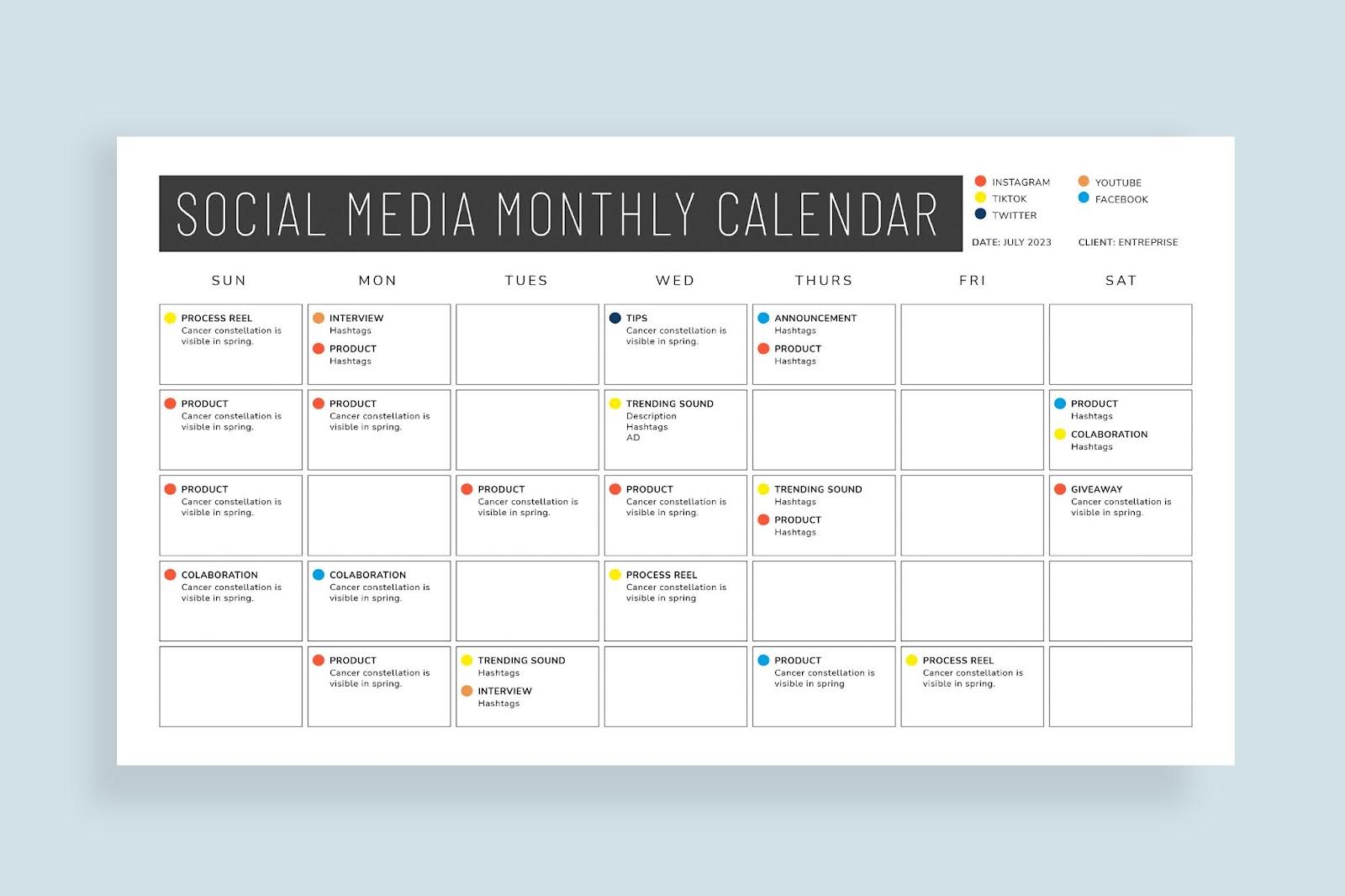 Consistency is crucial. Plan out your posts in a calendar, at least a week or month in advance. This ensures you maintain a steady presence even during busy times. Aim for a realistic posting frequency (e.g. 3-5 times per week) across your chosen platforms. You can use scheduling tools (Buffer, Hootsuite, etc.) or the platform’s native scheduler.
Write Engaging Captions
For each post, craft a caption that grabs attention in the first sentence and provides context or a story. Keep sentences short and clear. Invite interaction by asking a question or encouraging users to share their experience. Always include a call-to-action (CTA), even if subtle – e.g. “Check the link in bio for the full template,” or “Comment below with your favorite design!”. You can use your favorite Generative AI tool for content ideas and the content itself.
Incorporate Hashtags
 Incorporate a few relevant hashtags on platforms like Instagram and TikTok (e.g. #digitaldownloads, #printables, #etsyshop). Hashtags make your content discoverable to people searching those terms. Do some research to find niche hashtags your target customers might follow (for example, #plannercommunity if you sell planner pages).
Leverage AI and Automation
You don’t have to create every caption or graphic from scratch. Take advantage of tools to streamline content creation. For instance, MyDesigns’ Vision and Phraser AI can generate optimized product descriptions and keywords for your listings in bulk. You can repurpose these keywords or phrases in your social media posts to improve visibility and consistency. By using AI to handle the heavy lifting on text and even image generation, you free up time to focus on strategy and personal engagement.
Mix Up Formats
Within your plan, vary the format of content: single image posts, carousels (multiple images), short videos, Stories, polls, etc. Different people prefer different formats, and most algorithms favor those who utilize all features (Instagram, for example, rewards use of Reels, Stories, and carousels by boosting reach). If you primarily post images, try sprinkling in a quick video or a slideshow. For example, an art printable seller could post a carousel of 5 different wall art designs as a single post, or a short video flipping through a printable planner. Variety keeps your feed engaging.
By carefully planning content and using these techniques, you’ll develop a high-impact social media content strategy that attracts and retains followers.
Next, we’ll ensure your profile itself is set up to convert those viewers into customers.
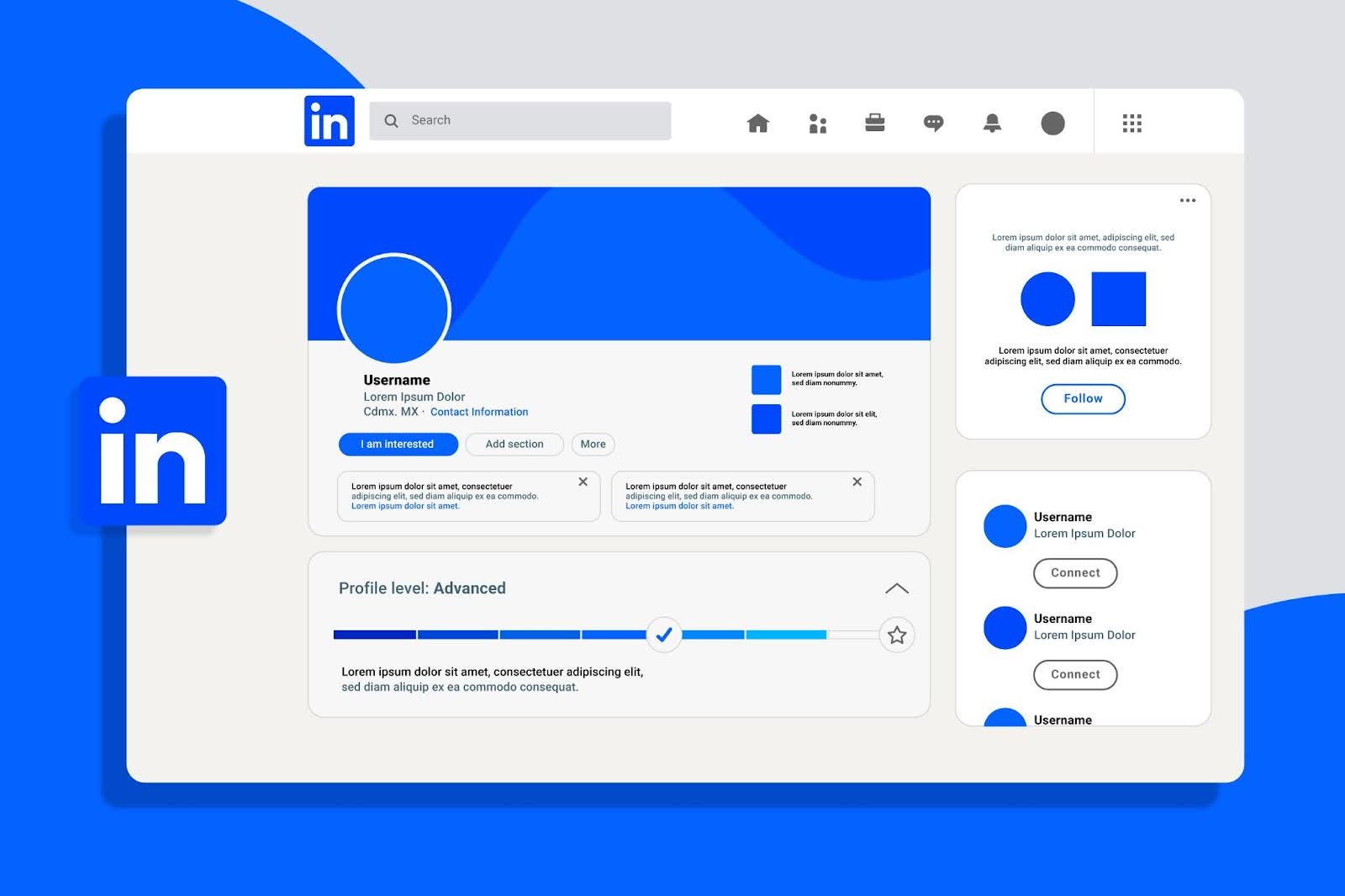
Your social media profile is often the first touchpoint for potential customers. Treat it like a landing page for your brand. Profile optimization and social SEO (search engine optimization) are all about making it easy for people to discover you and understand what you offer at a glance.
Follow these steps to optimize your profiles:
Choose a Clear, Keyword-Rich Username and Bio
Use a consistent handle across platforms if possible, ideally something related to your business name or product. In your bio, concisely explain what you sell and who it’s for. Include relevant keywords for digital sellers – for example, “Printable Planners & Art for Busy Moms” or “Stock Music for Creators – Royalty Free 🎵”.
Complete Every Field
Fill out all profile fields available. Add your website or shop link (use a link-in-bio tool if you need to share multiple links). On Facebook or LinkedIn, include your business category. On Pinterest, verify your website. A fully filled profile looks professional and boosts credibility.
Use a Consistent Brand Image
Set a high-quality profile picture – typically your logo or a distinctive product image. This helps with brand recognition as people see your posts or comments across the platform. Use the same or similar profile photo on all networks so your brand is instantly recognizable.
Optimize for Social Search
People increasingly use social media as search engines (especially younger users). For instance, someone might search within Instagram or TikTok for “cute digital stickers” or “Excel budget template.” Make sure your profile and content can be found for such terms. Use relevant keywords in your profile name (e.g., “Jane Doe | Sticker Printables”) and in your post captions and hashtags.
Enable Shopping and Contact Options
 If the platform offers business features like a Shop tab or Contact button, set them up. On Instagram, consider switching to a Business or Creator account to get analytics and a contact button (email/DM). On Facebook, ensure your Page has a clear call-to-action (“Shop Now” linking to your store). These optimizations make it easier for interested viewers to take the next step.
By polishing your profile, you turn casual visitors into followers and eventually into customers. Good profiles also improve trust—an important factor if you want someone to buy a digital product they can’t physically see. Now that your profile is in top shape, let’s talk about the content itself—particularly visuals.
Social media is a visual medium. High-quality images and graphics can stop users mid-scroll and draw them into your post. Visual storytelling means using images or graphics to convey a narrative or emotion that resonates with your audience. Here are techniques to elevate your visuals and tell a story that sells:
Use High-Quality, Eye-Catching Images
Blurry or dull images won’t cut it. Showcase your digital products with bright, clear visuals. If you sell printables or art, display them in a real-world setting (e.g. a framed art print on a wall, a planner printable on a desk with a cup of coffee). These lifestyle images help customers imagine the product in their life. Tools like the MyDesigns Mockup Generator make this easy by providing realistic product mockups (thousands of templates, from mugs to wall art) so you can present your design on various backgrounds in one click.
Be Consistent with Branding
Develop a signature look for your imagery. This could be a specific color palette, filter, or composition style. Consistency in visuals across posts (and across platforms) builds brand recognition. For example, you might always use a certain background color or include your logo watermark in a corner. Some sellers create a template for their social posts – e.g., a consistent layout for quote graphics or product announcements.
Tell a Story with Carousels or Series
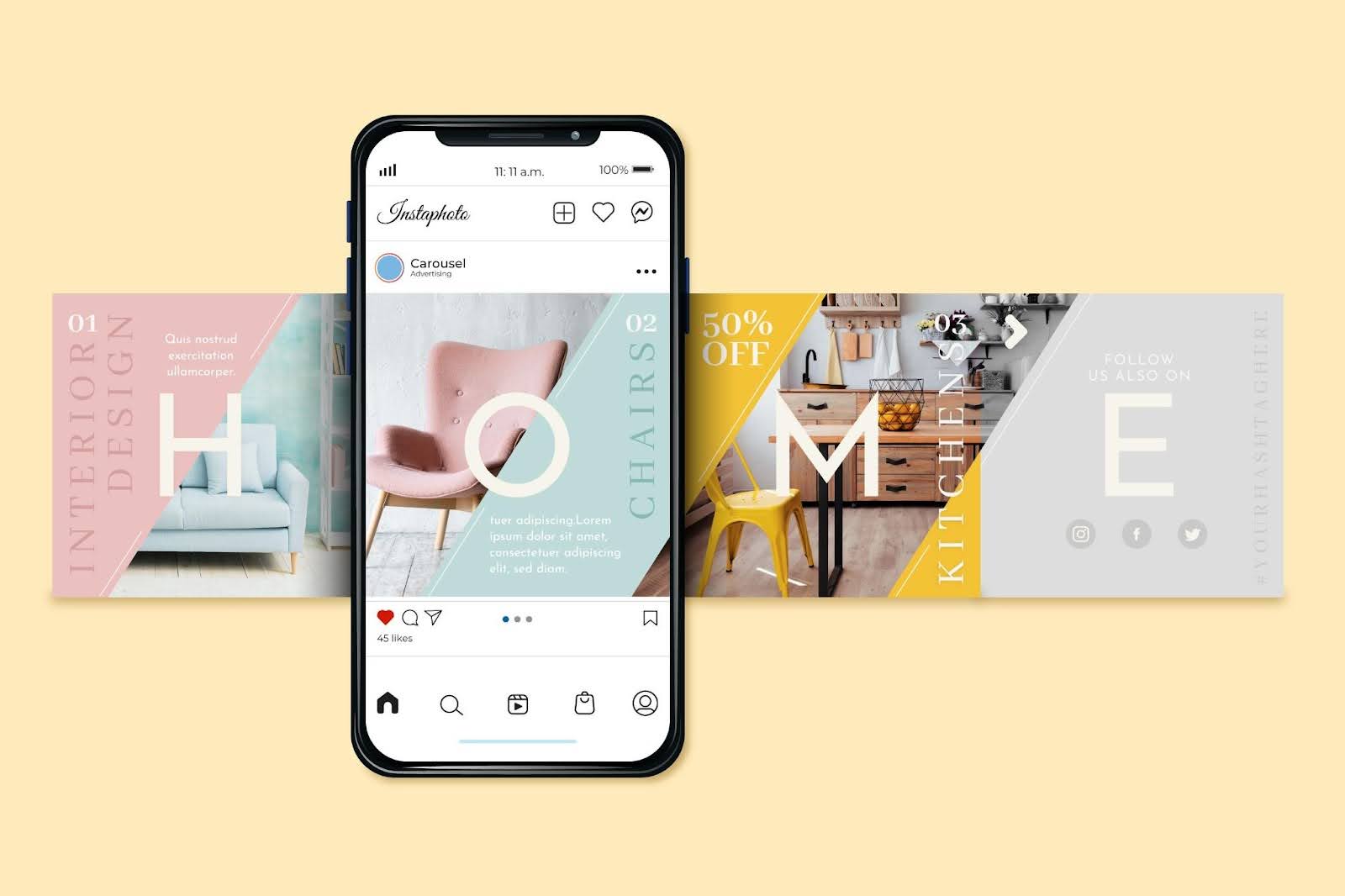 Platforms like Instagram allow multiple images (carousel posts) – take advantage of this to tell a sequential story. For instance, a digital planner seller could do a carousel: the first image shows a messy, hand-drawn calendar (the “problem”), and the next images show their polished printable planner pages in use (the “solution”). Or if you have a collection launch, use the carousel to show each item and end with a slide of the whole bundle. Captions can guide the story (“Swipe to see how my template transformed the project!”).
Incorporate Text Overlays and Infographics
Sometimes adding text to your image can make it more informative and engaging. For example, if you share a tip or a quote related to your niche, design it as an attractive graphic. If you sell digital courses, you might post an infographic snippet of a lesson or a chart. Keep text concise and easily readable on mobile. Use stylish typography that matches your brand.
Leverage Emotional and Aspirational Imagery
Visual storytelling is about emotion. Think about the feeling you want to evoke with your product. If you sell calming meditation audio files, your imagery might include serene landscapes or people relaxing (evoking calm). If you sell business coaching PDFs, maybe show a person celebrating a success (evoking empowerment). Use colors and imagery that align with those emotions – vibrant colors for excitement, soft tones for tranquility, etc.
Using these techniques, even a static image can speak volumes. Combine strong visuals with compelling captions (as discussed earlier) to maximize impact.
And don’t forget, you have some amazing tools at your disposal. MyDesigns Dream AI can generate unique art and design elements from text prompts, which you can use to create one-of-a-kind visuals. Imagine describing an idea for a background or illustration and getting a custom image to use in your post – this can set your content apart from the stock photos everyone else is using.
 Short-form videos are dominating social media feeds, and they’re especially powerful for showcasing digital products in an engaging way. Whether it’s TikTok, Instagram Reels, or YouTube Shorts, these bite-sized videos can deliver big results. Here’s how to craft effective short videos and some TikTok tips for selling digital products:
Hook Viewers in the First 3 Seconds
Attention spans are short. Start your video with something intriguing right away – a bold statement in text, a flashy visual, or movement. For example, if you’re demonstrating a digital illustration, begin with the final stunning artwork to grab attention, then show how it came together. If you offer an Excel template, start the video with a quick before-and-after shot of a messy spreadsheet vs. your neat automated template. This immediate hook encourages viewers to stay for the full video.
Show Your Product in Action
Short videos are perfect for demonstrating how your digital product works or the results it produces. Some ideas:
- Screen recording of using your product (scrolling through a digital planner PDF on a tablet, editing a photo with your preset, coding with your snippet). Speed it up and add a voiceover or captions explaining what’s happening.
- Time-lapse creation: condense an hour of design work into 15 seconds to show the making of a digital art piece or printable.
- Tips format: e.g. “3 Ways to Use Our Budget Template” – with quick cuts showing each tip in use.
- Unboxing/Download experience: film the process of purchasing and opening your product, simulating the customer experience (this works if you have something like a bundle of files, show the folder of goodies they get).
- Before/After transformations: “Before using our template vs. After” comparisons are very effective visually.
Use Trending Audio or Music
 On platforms like TikTok and Reels, the right sound can boost your video’s reach. Keep an eye on trending songs or audio clips in your niche. Using a trending sound can make your content more discoverable through the sound’s page. Just ensure it fits your content and brand vibe. For instance, a calm piano tune might suit a watercolor art demo, whereas a peppy pop song could enhance a quick tips video.
Keep It Short and Value-Packed
While some platforms allow up to 60 or 90 seconds, many viral clips are 15–30 seconds. Focus on one main idea or demonstration per video. If you have more to say, break it into a series (part 1, part 2, etc.). Viewers are more likely to watch till the end (and re-watch) if the video is concise. Also, add text captions or overlays highlighting key points, since many people watch on mute. For example, overlay text like “Viral TikTok Sound Included” or “Tip #1: Use X feature!” to reinforce your message.
Engage with Challenges and Trends
An effective TikTok strategy is to participate in platform-wide trends or challenges, with a twist relevant to your product. If there’s a trending hashtag or meme, think creatively how your digital product can be featured. For instance, if there’s a popular TikTok meme about “things I wish I knew earlier,” a seller of digital planners might do “Things I wish I knew before starting bullet journaling” and showcase their planner. Riding trends can expose your content to a wider audience following that trend.
Include a Call-to-Action
Just like with static posts, end your video or caption with a CTA. It could be as direct as “Visit the link in our bio to download this template” or engagement-focused like “Follow for more design tips.” You can also use the platform’s features – e.g. on TikTok and Instagram, you might say “Double tap if you agree” or “Comment with your favorite!” to boost engagement metrics, which in turn can trigger the algorithm to show your video to more people.
A real advantage of short-form video is the potential for virality. TikTok’s algorithm, for example, prioritizes content quality over follower count, meaning even a new seller’s video can reach millions if it resonates. Many entrepreneurs have seen their digital product sales skyrocket after a single viral TikTok or Reel.
Finally, remember to repurpose content: a TikTok video can be cross-posted as an Instagram Reel, a YouTube Short, and even embedded in a Pinterest Pin or Twitter post. This maximizes your reach without extra work. Keep the watermark situation in mind (preferably use the original video file to post on each platform to avoid reduced reach from watermarks).
By embracing short-form video strategies, you tap into one of the most effective ways to engage today’s social media users and drive interest in your digital products.
 Organic reach is wonderful, but sometimes you want to accelerate your growth or reach specific audiences quickly. This is where paid social advertising comes in. Running targeted ads on platforms like Facebook, Instagram, Pinterest, or TikTok can bring a surge of traffic to your digital product listings. Here’s how to get the most out of paid social ads for digital products:
Set Clear Goals for Your Ads
Before launching a campaign, decide what you want to achieve. Common goals include increasing website/store visits, generating leads (emails), or driving direct sales of a product. Clear goals will guide your ad targeting and messaging.
Target the Right Audience
One of the biggest advantages of social ads is precise targeting. Use the platform’s targeting options to reach people most likely to buy your product. You can target by interests, demographics, behaviors, and more. For instance, if you sell coding tutorials, target people interested in programming, computer science students, or followers of certain tech influencers.
Craft Compelling Ad Creatives
 Your ad creative (image or video + text) should immediately communicate what you offer and why it’s valuable. Use high-quality visuals just as you do in posts. Often, short video ads perform well – consider turning one of your best organic videos into an ad. For image ads, overlay a short text headline if it helps (e.g. “Download 50+ Resume Templates”). The ad caption should have a clear call-to-action, like “Download now” or “Shop our digital catalog.”
Start Small and Test
Begin with a modest budget while you test different ad variations. You might run two versions of an ad: one image, one video, or two different headlines, to see which performs better (A/B testing). Most platforms will optimize for the best performing ad automatically if you put them in the same ad set. Watch the metrics closely (click-through rate, conversion rate, cost per click, cost per conversion).
Utilize Retargeting
“Retargeting” (or remarketing) means showing ads to people who have already interacted with you – e.g. visited your website or added a product to cart but didn’t purchase. These audiences are often highly valuable for digital product sellers, because maybe they just needed an extra push or reminder. Set up the Facebook Pixel or equivalent tracking on your site/Etsy (if possible) to capture these visitors. Then you can run retargeting ads like “Still looking for the perfect design? Get 20% off if you complete your purchase today!”
Mind Your ROI
With digital products, your profit margin per sale is typically high (since you create it once and sell repeatedly). However, many digital goods have relatively low price points (e.g. a $5 printable). You need to ensure your return on ad spend is positive. If it costs you $0.50 per click and only 1 in 20 clicks buys the $5 item, you’re breaking even (cost $10 to get one sale). Track these numbers. It might be easier to justify ad spend if you have higher-priced products or bundles.
Paid advertising can amplify your reach beyond what organic posts achieve. Even a small budget of $5–$10/day can make a difference if well-targeted. Monitor the results and continuously refine your ads. When done right, paid social ads for digital products can deliver a steady stream of new customers and accelerate your business growth.
One of the fastest ways to expand your reach on social media is leveraging other people’s audiences. Influencer partnerships and affiliate programs can expose your digital products to a large, targeted group of potential buyers through trusted voices.
Influencer Marketing
Influencer partnerships involve collaborating with social media personalities (big or small) who align with your niche. The right influencer has an audience that overlaps with your target customers and has built-in trust with them. When they recommend your product, it carries weight. Here’s how to approach influencer marketing for digital goods:
- Find Relevant Influencers: Look for influencers who create content related to your product’s domain. For example, if you sell Lightroom photo presets, find photography influencers or hobbyist Instagram accounts. If you sell printable planners, search for YouTubers or TikTokers in the planning, organization, or lifestyle space. Micro-influencers (those with 5k–50k followers) can be particularly effective and more affordable. Their engagement rates are often higher and they have a close-knit community.
- Reach Out with Value: When approaching an influencer, personalize your message and highlight why your product would interest their audience. Offer them something valuable: a free copy of your digital product (of course), and perhaps an affiliate commission or flat fee if your budget allows. Many influencers do paid promotions, but some will be happy with just free access if your product genuinely resonates with them.
- Authenticity is Key: Encourage the influencer to review or use your product honestly and integrate it naturally into their content. Audiences are savvy and can tell if something is a forced promo. It’s better to have an influencer give a balanced, genuine take on your digital product than an overly scripted ad feel. Real testimonials (“I used this template to redo my resume and it was so much easier”) sell better than generic praise.
- Track Results: Give each influencer a unique discount code or tracking link. This not only incentivizes their followers to buy (everyone loves a small discount), but it also lets you measure how many sales came from that influencer. You can then gauge ROI and decide on future collaborations.
Affiliate Programs
Setting up an affiliate program means enlisting others (influencers, bloggers, or even past customers) to promote your products in exchange for a commission on each sale they refer. It’s like having a decentralized sales team on social media. Here’s how to use affiliates:
- Choose an Affiliate Platform: If you have your own website (for example, selling through Shopify or WooCommerce), you can use affiliate management software or plugins (many e-commerce platforms have this feature or apps). If you sell on a marketplace like Etsy, you can’t directly have affiliates through Etsy, but you could still track referrals via coupon codes or Google Analytics UTM links. There are also third-party affiliate networks you could join.
- Set Commission Structure: Decide a reasonable commission per sale that still leaves you profit. Digital products often allow higher commissions since margins are high – 20%, 30%, even 50% in some cases (especially for things like online courses). For smaller items like a $5 graphic, you might do a fixed amount (e.g. $1 per sale). Make it enticing enough that affiliates feel rewarded.
- Recruit Affiliates: Start with people who already love your products. This could be satisfied customers or newsletter subscribers. Announce that you have an affiliate program and invite them to join to “earn while sharing products they enjoy.” Also, reach out to content creators in your niche (similar to influencer outreach above) and mention you have an affiliate program – this gives them an extra incentive because they can earn ongoing revenue from any sales they drive.
- Provide Promotional Assets: Equip your affiliates with promotional materials to make their job easier. This could be a set of product images, example social media posts, or banners. The easier you make it for them to share, the more likely they will. However, also encourage them to use their own style and storytelling. Authentic recommendations perform best.
- Monitor and Support: Keep track of top-performing affiliates and maintain good relationships with them. Pay commissions on time. Perhaps run contests or bonus incentives (like “highest sales this quarter gets a bonus $100”). This keeps affiliates motivated. Also, ensure your tracking works properly so nobody feels cheated out of their earnings.
Influencer partnerships and affiliates can dramatically increase your reach. Instead of just your voice talking about your products, you could have dozens of voices amplifying your message across social networks.
According to marketing studies, a significant portion of marketers now allocate budgets to influencer campaigns, and about 68% of marketers use Instagram for influencer marketing (not surprising given Instagram’s visual nature and popularity for product promotion). This strategy taps into trust – people trust recommendations from their favorite creators more than ads from brands.
In summary, consider adding an influencer or affiliate strategy to your social media plan once you have your own channels running smoothly. It can accelerate your growth and bring a steady stream of new customers who discover you through others. Just be sure to choose partners who genuinely align with your brand for the best results.
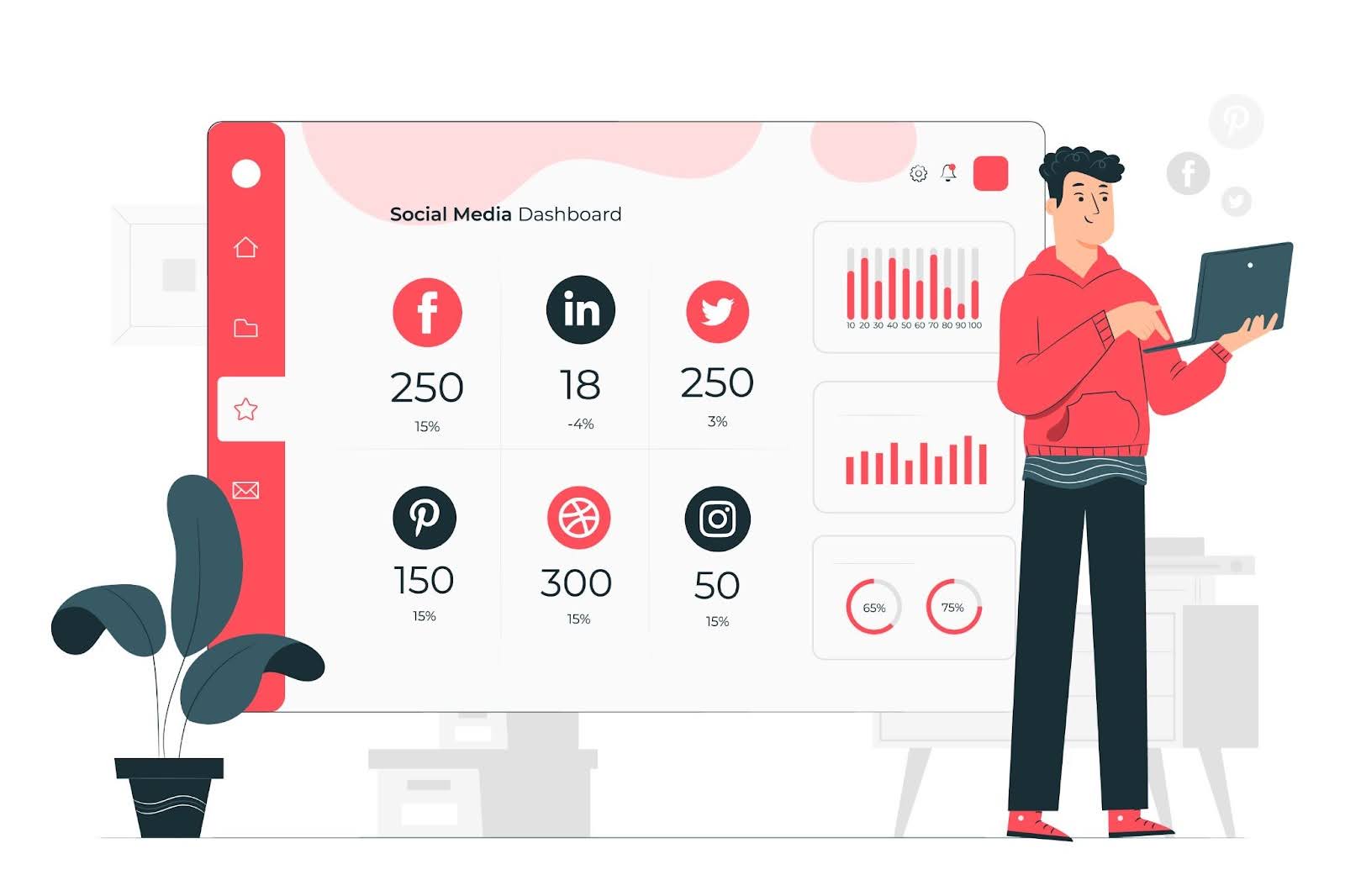 You’ve set up profiles, created content, engaged with your community – now, how do you know if it’s working? Analytics are the answer. Every major social platform offers analytics/insights for business accounts. By regularly reviewing these data and iterating your strategy, you ensure your social media efforts actually translate into growth and sales.
Here’s how to use analytics to your advantage:
Track Key Metrics
Focus on metrics that align with your goals. Some important ones for digital product sellers:
- Reach/Impressions: How many people are seeing your content? This indicates your brand awareness. If reach is growing, your audience is expanding.
- Engagement: Look at likes, comments, shares, saves (on IG), retweets, etc. High engagement means your content resonates. Note which posts get the most engagement – what’s special about them? Perhaps your audience loves quick tips or behind-the-scenes peeks the most.
- Click-Throughs: If you can track link clicks (for instance, using the “link in bio” analytics or Pinterest outbound clicks), this is vital. It shows how many people are moving from social media to your store or product page. UTM parameters in your URLs can help tie social traffic to Google Analytics data (e.g., you can see how many website visits or sales came from “Instagram Bio Link” or from a specific post if you use unique links).
- Conversion Rate: Ultimately, how many of those clicks turn into purchases or sign-ups? On your site or Etsy, you might see how many sales were referred from each social network. If conversion rate is low, perhaps the traffic isn’t well-targeted or the landing page needs improvement.
- Follower Growth: Keep an eye on your follower/subscriber count over time. Steady growth is a good sign that your content and engagement are drawing people in. If growth stalls, you may need to try new content tactics or platform features to reach new audiences.
- Audience Demographics: Most platforms give insights into your followers’ demographics (age, gender, location) and active times. Make sure this matches your intended target. For example, if you wanted to reach young designers but your analytics show mostly 50+ year olds, you might need to adjust your content or platform choice.
Identify Top-Performing Content
Each month, note which 2-3 posts had the best performance (however you define it: most sales, most engagement, most reach). Analyze why they worked. Did you use a different style of graphic? Was the topic particularly interesting? Conversely, identify underperforming content and consider phasing out those approaches. Your content strategy should evolve based on this feedback loop. Over time, you’ll hone in on what really clicks with your audience.
Experiment and Iterate
Treat your social media strategy as an ongoing experiment. Introduce one change at a time and see how it affects results. For instance, try posting at a different frequency for a few weeks, or introduce a new content format (say, start doing a weekly poll in your Stories). Use analytics to judge the impact.
Use Tools for Deeper Insights
Sometimes native analytics can be limited. Consider using social media management tools or analytics tools that aggregate data. For example, Later or Sprout Social can show you trends over longer periods and across platforms. They might highlight your best posting times or most engaging hashtag. If you run ads, Facebook Ads Manager or Pinterest Ads will give you detailed metrics on those campaigns – analyze them to learn about your audience’s behavior (e.g., which ad copy got more clicks).
Gather Qualitative Feedback
Not all insights come from charts and numbers. Pay attention to comments and messages for qualitative feedback. Are people asking the same question frequently (maybe indicating something isn’t clear about your product or you should create content to answer it)? Did a customer spontaneously say “I found you on TikTok!” – that’s a clue about what’s working. You can even poll your audience directly: “What content do you want to see more of?” or “How did you first hear about us?”
The digital marketing landscape, including social media, is always changing. Algorithms update, new features emerge (who saw TikTok coming a few years ago?), and audience preferences shift. Analytics keep you tuned in to what’s happening so you can adapt. Maybe this quarter video posts are doing great; next quarter, you notice carousel posts outperforming – adjust accordingly.
Don’t be afraid of data – even if you’re not a “numbers person.” Think of it as feedback from your audience delivered in code. By embracing an iterative approach, you’ll continuously refine your social media strategy, making it more effective each cycle. In turn, this means more traffic and sales for your digital products with the same or less effort.
 Juggling multiple social platforms, creating content, responding to comments, and managing your digital product business can be overwhelming. The good news is, you don’t have to do everything manually. There’s a plethora of social media automation tools and workflow hacks that can save you time while maintaining (or even improving) quality.
Here are some tips and tools for boosting your efficiency:
Schedule Your Content in Batches
Instead of posting in real-time every day, pick one or two days a month to schedule content in advance. Tools like Buffer, Hootsuite, Later, or Meta’s Creator Studio (for Facebook/Instagram) allow you to queue up posts for future dates.
Use Content Creation Templates and Tools
Don’t start from scratch every time you need a graphic or video. Create templates for recurring content. For instance, have a preset template for quote images, product announcement posts, or Pinterest pins. Software like Canva is popular for this.
Leverage AI for Content Generation
 AI writing assistants can suggest caption ideas or trending topics. For example, ChatGPT (OpenAI) or other content AI tools can help brainstorm 10 tweet ideas about your niche, or draft a script for a TikTok video. Dream AI in MyDesigns can even generate background visuals or variations of your product images, reducing the time spent searching for the perfect graphic. Essentially, automate the idea generation phase, then you refine and personalize it.
Automate Repetitive Interactions
Some engagements can be semi-automated. For instance, you can set up Instagram quick replies for FAQs that you get via DM (like “How do I download my files?”). Chatbots on Facebook Messenger can handle basic customer questions or direct people to your FAQ page. If you have a Twitter, you might use an iPaaS tool to automatically thank someone for a mention or follow.
Organize Your Workflow
Consider using project management or content management tools to keep everything organized. A simple Trello board or Notion table can track your content ideas, what’s in progress, and what’s scheduled. This prevents the stress of “did I post that already?” or missing important dates. You can maintain a digital asset library – a folder of images, video clips, graphics, etc., categorized by type.
Efficiency doesn’t mean impersonal. The beauty of automation is that it frees you up to put more personal effort where it counts, like engaging with your community or designing new products. It’s about working smarter.
MyDesigns, in particular, is built to streamline many aspects of a print-on-demand or digital product business. Features like Bulk Edit, Bulk Publish, and Dream AI (AI image generation tools) mean you can accomplish in minutes what might manually take hours.
In summary, embrace the tools and automation options available. Social media automation tools can handle the heavy lifting of scheduling and even initial content creation, while you steer the ship with strategy and personal engagement.


Leave a Reply