


 Before designing, build a solid foundation.
Identify Your Niche: Kids’ apparel is broad, narrow it down. Maybe organic baby wear, matching family outfits, or tees with educational themes. A clear niche helps you stand out and attract a loyal audience.
Study Market Trends: Parents today value quality, sustainability, and style. Eco-friendly fabrics, gender-neutral designs, and playful prints are trending. Browse marketplaces and social media to see what colors, graphics, and slogans resonate.
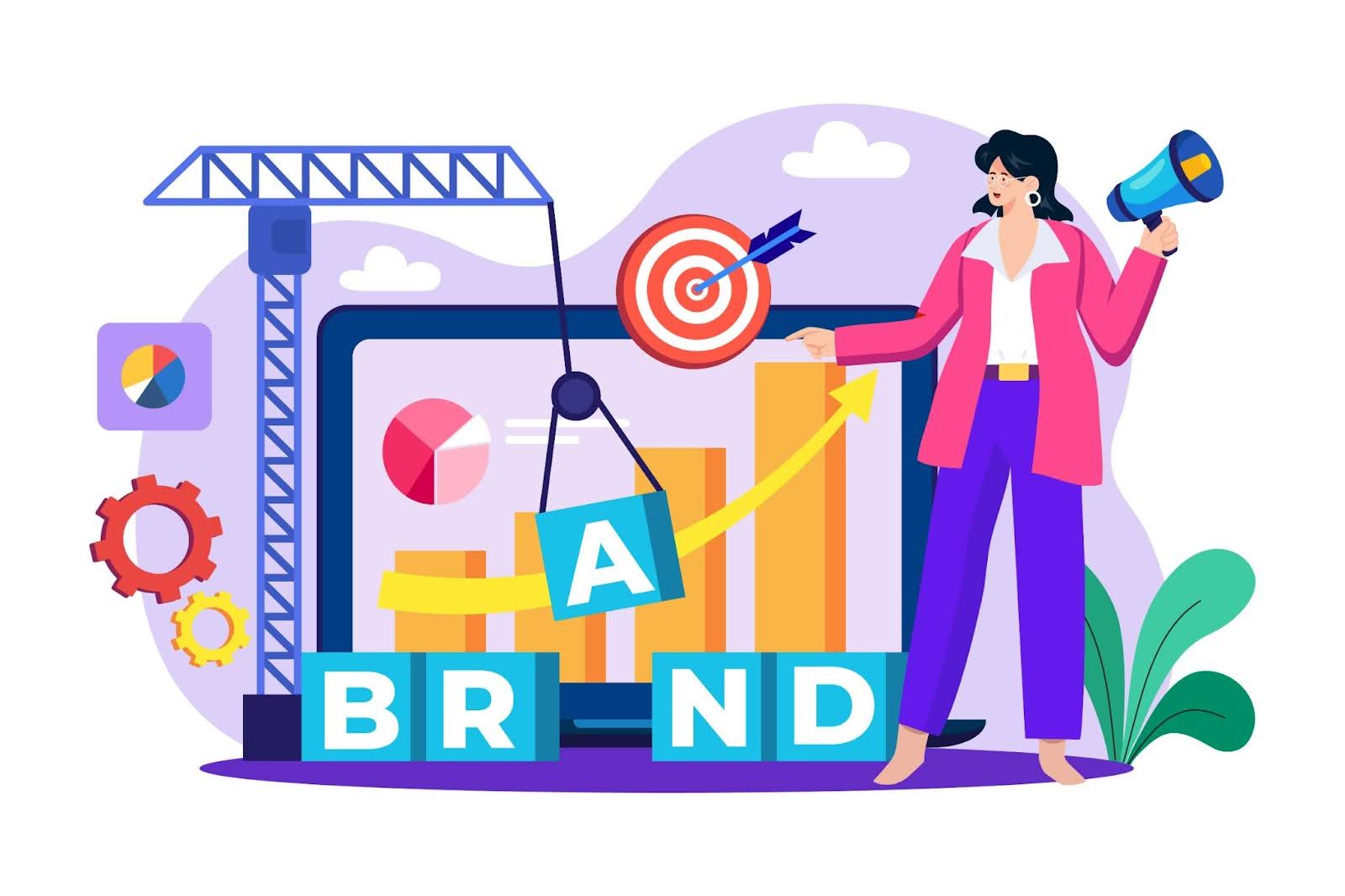
Craft a Brand Story: Adopt a caring, playful tone. Create a cute logo and choose a fitting color palette, pastels for baby goods, bold hues for toddlers. Consistent branding ties your designs and ads together.
Plan Your Product Range: Start small. Many successful brands launch with a few great designs across essentials like tees, onesies, and hoodies. You can expand later through MyDesigns, but early focus helps maintain quality.
A clear niche and cohesive brand will make every next step, design, listings, and marketing, more effective.
Every great product line starts with great designs. If you’re not a professional artist, or even if you are, MyDesigns’ Dream AI can be your secret weapon for design ideation and creation!
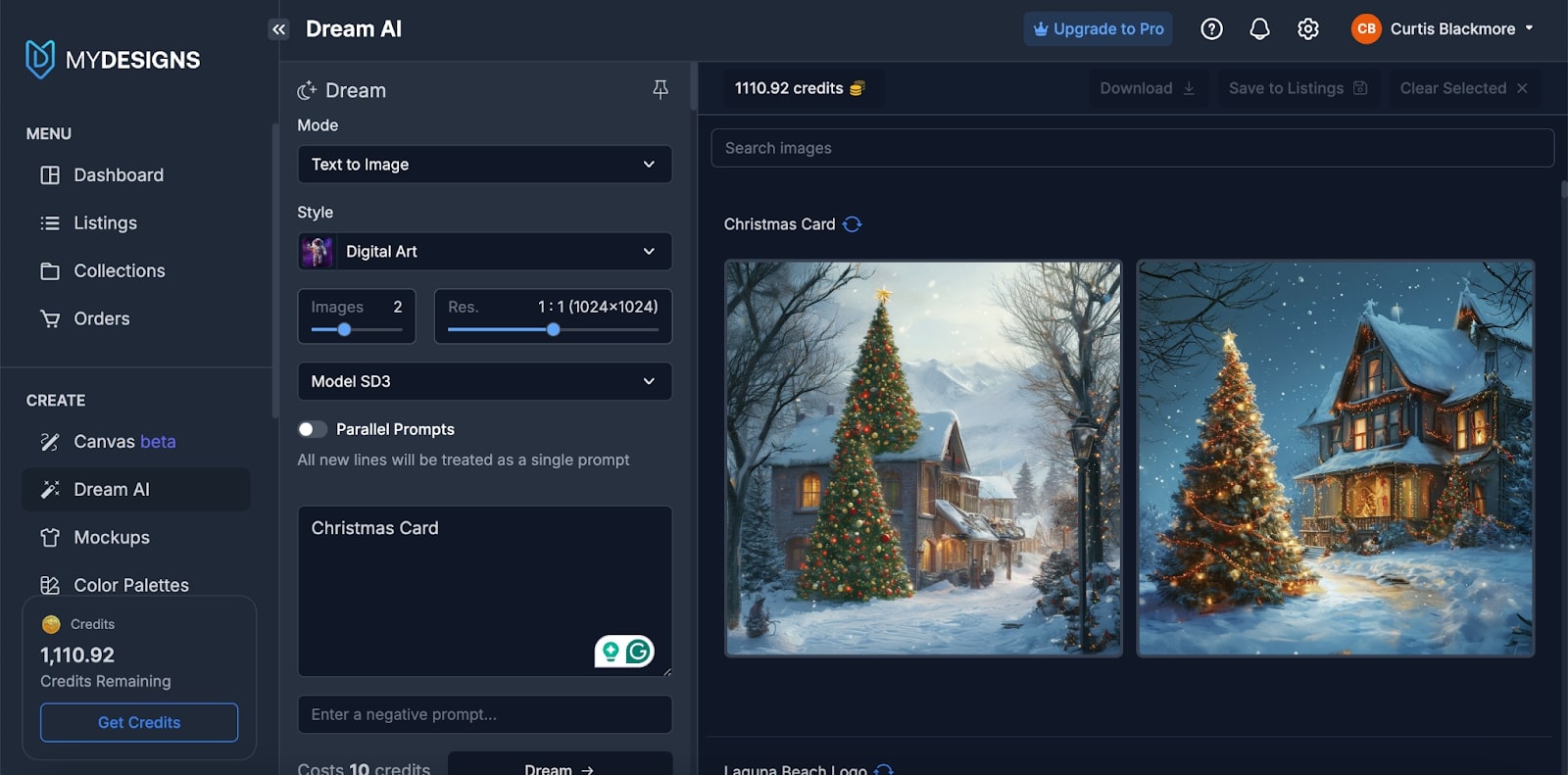 Brainstorm with Prompts: Think like a parent and child: “cute dinosaur in watercolor style” or “playful unicorn with rainbow.” Dream AI supports styles from cartoon to photorealistic, using advanced models like DALL-E 3 and SDXL. Don’t hesitate to try different prompts and styles to get a range of creative options.
Generate Variations: With AI, you can generate dozens of design concepts in minutes. Use this to your advantage and come up with a series of related designs for a cohesive collection. For instance, you could create a set of animal characters (lion, elephant, giraffe, etc.) each in the same art style for a themed line of toddler shirts.
Refine Ideas: Tweak prompts to perfect poses or colors, or re-upload an image for enhancement. You can art-direct the AI’s creativity until it matches your vision. You can also feed an image back into Dream AI for enhancement or variation. For example, upload a rough sketch or previous AI output and prompt the AI to refine it or apply a different style.
Stay Original: You can also feed an image back into Dream AI for enhancement or variation. For example, upload a rough sketch or previous AI output and prompt the AI to refine it or apply a different style. This capability lets you art-direct the AI’s creativity.
Think Product-First: For apparel, prioritize bold, simple shapes and bright colors. Remember the end use of the design. A graphic for a children’s t-shirt should be bold and visible from a distance (simple shapes, bright colors, clear lines). Dream AI can generate detailed images, but sometimes simpler is better for apparel. Request transparent backgrounds or use Image Utilities later to remove them for clean overlays.
Expert tip: save all promising AI outputs in MyDesigns collections. You can reuse them for future drops or marketing visuals.
Dream AI lets you achieve in an afternoon what once took days of outsourcing!
Next, refine these concepts into professional designs.
Now that Dream AI has helped you generate some fantastic design concepts, you’ll likely want to fine-tune them to make sure they’re just right for your brand and products. This is where the MyDesigns Canvas comes in. Canvas is a powerful drag-and-drop design editor built for print-on-demand sellers and your digital art studio for editing or building from scratch.
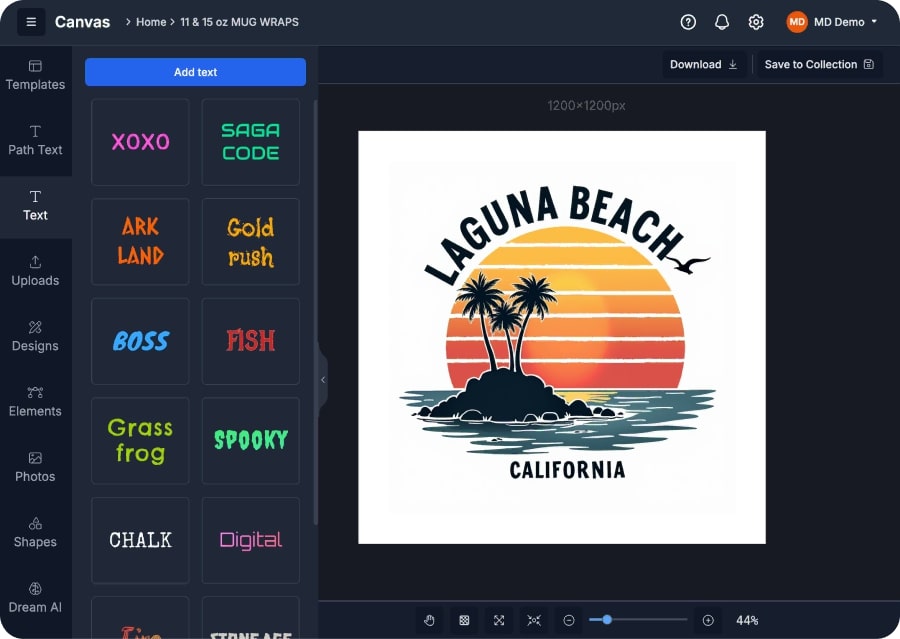 Here’s how to make the most of Canvas for your children’s apparel line:
Enhance and Customize: Import your Dream AI images directly into Canvas where you can remove unwanted backgrounds, adjust colors, or combine elements from multiple images. For example, you can easily generate a cute dinosaur and add a personalized text like “Dino-Mite Kid!” with Canvas’s text tool.
Use Image Utilities: Quickly upscale images for print, remove backgrounds, or vectorize art. The background remover is extremely handy when you want to place your art on different colored apparel. It precisely cuts out the background so your design can seamlessly overlay on a pink or blue shirt.
Preview with Templates: Canvas includes templates for hundreds of products mydesigns.io. Drop your design on a toddler tee or baby onesie mockup to check sizing and placement before publishing. This is a lifesaver for visualizing how your design will look.. You can select a t-shirt template, drop your design in, and see if the sizing and placement feel right.
Add Finishing Touches: Want to add some extra flair to your designs? Access free stock elements via Pixabay and Unsplash, or add effects like stars, balloons, or a retro-distressed texture. You can also apply pattern overlays with Image Utillities if you want a vintage look (e.g., a distressed font for a retro vibe), all doable in a few clicks using Canvas’s built-in effects
Save Editable Files: Keep editable versions for easy personalization, for e.g., change “Mom’s Little Hero” to “Dad’s Little Hero” or add a child’s name later. This is crucial if you plan to offer product personalization or future updates. You’ll have the source file ready to quickly add the name and fulfill the order.
By the time you’re done in Canvas, your designs should be polished, print-ready, and on-brand. You’ve taken AI creativity and human creativity and melded them into something truly unique. The next step is to set up product listings that do justice to these wonderful designs – and ensure they get found by the right buyers.
Product images are your storefront. An Etsy survey found 90% of buyers rate photo quality as extremely important. That’s huge! It means having great images isn’t just nice-to-have; it directly impacts your sales. The good news: with MyDesigns’ Product Mockups feature and built-in imaging tools, you can generate professional, eye-catching mockups without needing a photographer or studio.
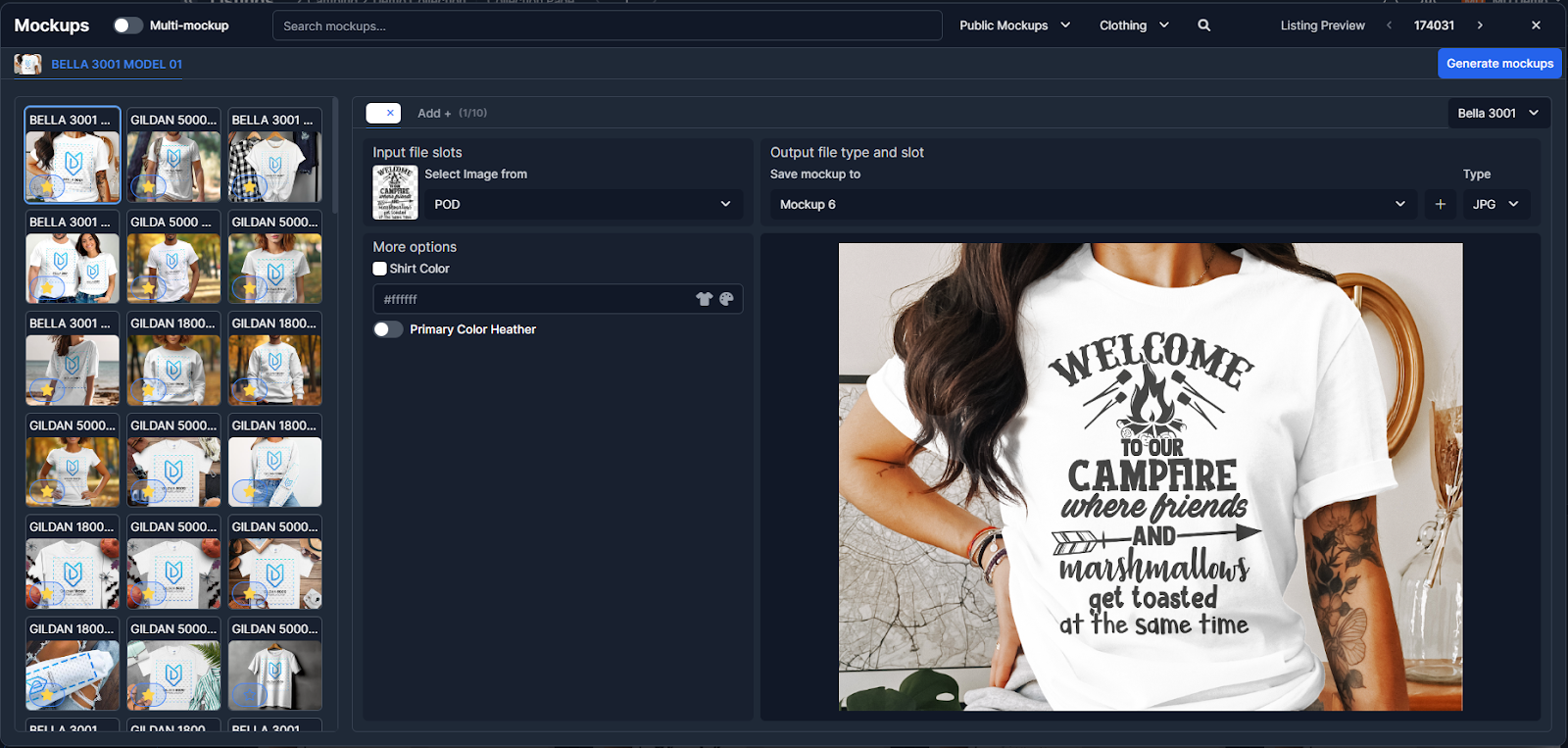 Use MyDesigns Mockup Generator: Choose from 4,000+ templates: toddler models, flat-lays, lifestyle settings, and apply your design automatically. Generate multiple mockups (front, close-up, lifestyle) or short video loops for platforms like Etsy and TikTok.
Show Multiple Views: For each product, provide a few images: a clear product-only shot, a lifestyle shot, and maybe a size-reference or detail shot. For example, one image might be a straight-on view of the t-shirt (so the design is fully visible). MyDesigns Mockup Generator supports creating all these types, and even video mockups for extra pizzazz!
Keep Colors Accurate: Ensure that the mockups accurately represent your product. Use high-resolution images so that when customers zoom in, it’s clear. Check that the colors in the mockup match the actual shirt colors available. If you offer multiple colors of shirts for one design, create a mockup of each color variant.
Edit and Polish: If needed, you can pop back into Image Utilities or Canvas to adjust your mockup outputs. For instance, maybe you want to add a simple background color or pattern behind a flat-lay image – use Canvas to do that. Or use the background removal tool to isolate the product for a pure white background. Maintain a cohesive visual style across your shop.
Pro Tip (SEO Bonus): Rename files descriptively (e.g., kids-dinosaur-shirt-blue.png) and add keyword-rich alt text, helpful for both accessibility and rankings. High-quality mockups make customers imagine the product on their child, and that emotional connection drives sales.
One of the biggest advantages of MyDesigns is how it streamlines multi-channel selling. Your target customers might be shopping on Etsy, browsing Amazon, scrolling TikTok, or on your own website, so you want to meet them where they are. Your customers shop everywhere and so should you. MyDesigns simplifies multi-channel selling with bulk publishing and integrations.
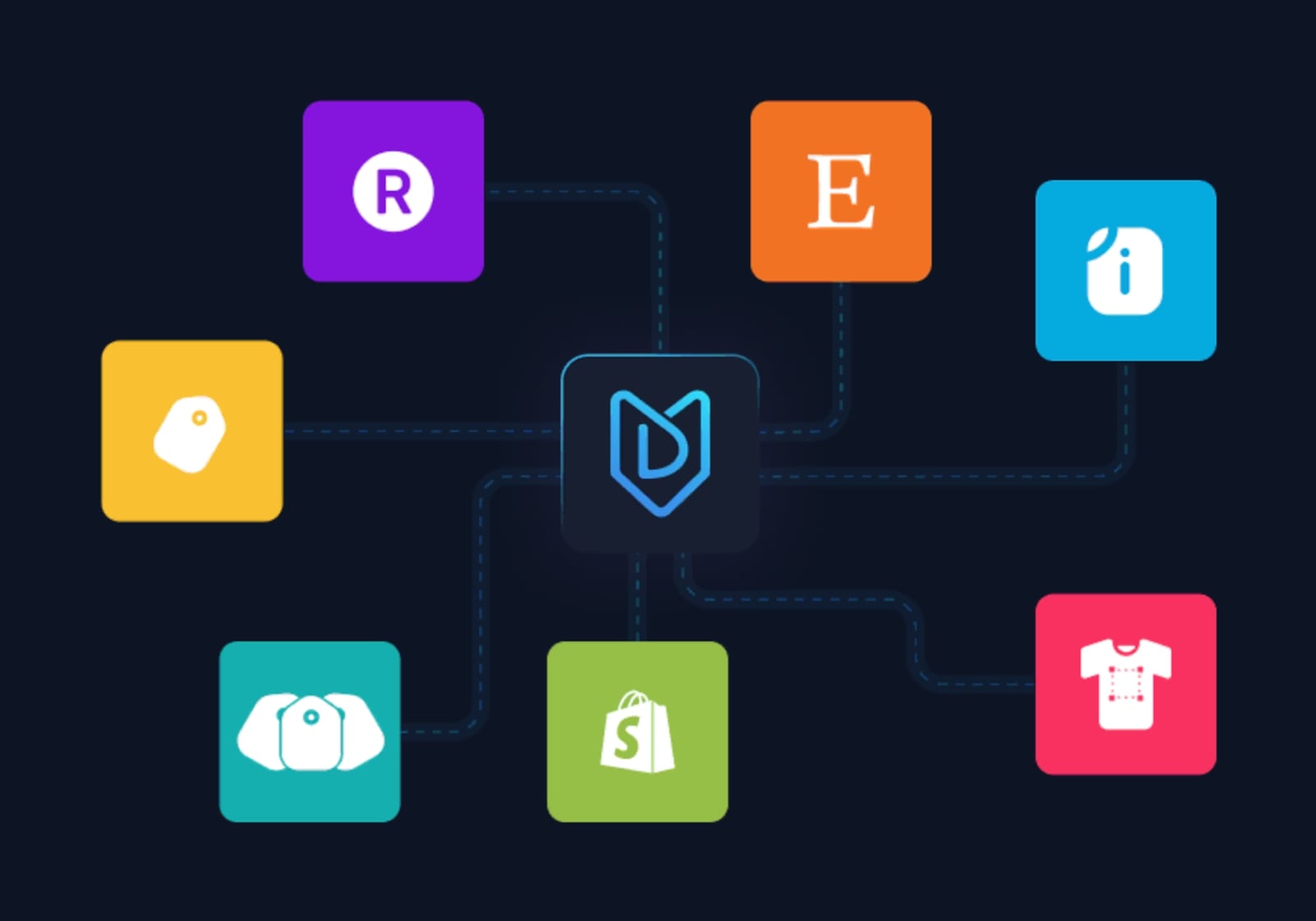 Connect Your Shops: Link Etsy, Shopify, Amazon, WooCommerce, TikTok Shop, and others via Shops & Integrations. You’ll manage everything from one dashboard and no duplicate uploads.
Bulk Publish: Select all your products, choose platforms, and publish with one click. MyDesigns replicates titles, descriptions, and prices across channels instantly. This centralized setup means MyDesigns becomes your command center. You create listings here and publish everywhere with consistency.
Multi-Product Listings: Offer several products in one listing. For example, sell a design as a t-shirt, hoodie, or baby bodysuit variant. Why use multi-product listings? It saves listing fees and can improve SEO by concentrating traffic into one listing that ranks higher.
Central Syncing: Update prices, titles, or sales in MyDesigns and sync everywhere. Import existing listings to manage them centrally. If you decide to run a sale, you can bulk update prices or sale statuses. If you spot a typo in a description, edit it in MyDesigns and sync, all your shops will update. This is a lifesaver for avoiding the headache of manual updates.
Expand Easily: Adding new marketplaces later takes minutes, and connect and bulk-publish existing designs. Diversifying channels protects revenue from algorithm changes. This means you can scale to multiple channels without scaling your workload. Many top sellers diversify channels to grow revenue and reduce dependence on any single platform’s algorithm changes.
Check your first few listings for shipping and category accuracy, but otherwise automation handles the rest. One upload can earn on several platforms: a true time multiplier!
Receiving that first order notification is a thrill. Congrats in advance! To keep customers happy (and yourself sane), you need an order fulfillment process that’s fast, accurate, and scalable. Once orders roll in, MyDesigns keeps operations smooth. Here’s how to stay on top of fulfillment and personalization:
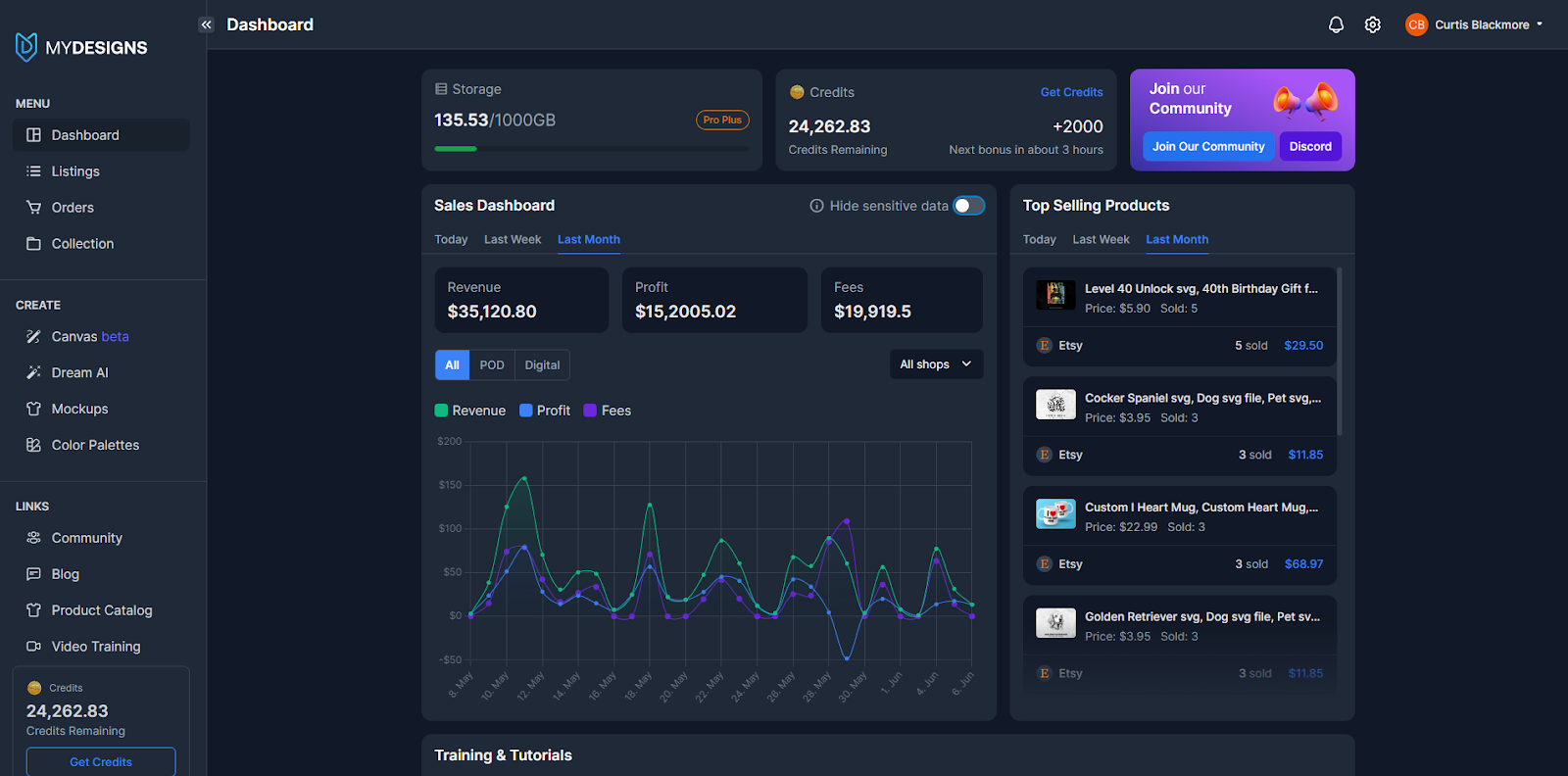 Central Order Dashboard: View all orders from every platform in one place. All orders from all integrated shops funnel into your MyDesigns Order Management dashboard. This means you’re not juggling between multiple platforms, and you see every incoming order in one queue. The dashboard provides details like product, variant, customer info, and even the source!
Automated Fulfillment: MyDesigns connects with various print-on-demand fulfillment services. You can choose your preferred partner (Printful, Gooten, etc.) for each product type. When an order comes in, MyDesigns can automatically route the order to your selected print provider for production and shipping. Your route to hands-off fulfillment with fast delivery.
Manual or Hybrid Fulfillment: If you prefer to self-fulfill or use a local printer, you can still use MyDesigns to manage orders. You’ll get all the order details, and you can mark orders as processed or enter tracking numbers once shipped. MyDesigns gives you full flexibility.
Personalized Orders: If you offer custom names or phrases, Canvas integrates directly, open the saved design, adds the name, and generates a print-ready file in minutes mydesigns.io. Placeholder text fields make it even faster. This way, fulfilling a personalized order might take only a minute or two of editing before it’s ready to send to production.
Customer Updates: A major part of good fulfillment is communication. With MyDesigns managing orders, you’ll have all the info (like tracking numbers once available) in one spot. Many integrated fulfillers send tracking back automatically; if not, you can input it. MyDesigns will push the tracking update to the respective marketplace, which then notifies the customer.
Manage Returns: Access SKU and variant data instantly to handle exchanges or replacements smoothly. Should you need to send a replacement, you can create a new fulfillment order through MyDesigns without relisting a product. The centralization of data really helps when troubleshooting any post-sale issues.
Automation frees you to focus on growth, not logistics. One children’s brand scaled from 0 to 15,000 sales in a year by leveraging automation and multi-channel marketing, proof that systems like this make scaling possible.
Now for the fun part: driving traffic and sales.
 Social Media Power: Instagram, Facebook, and TikTok are visual playgrounds for kids’ apparel. Post lifestyle mockups, behind-the-scenes clips, or customer photos. For paid ads, target parents of toddlers or kids interested in fashion. Start small; a $10–$20 daily test can reveal which design performs best.
Video & Influencers: Short videos such as unboxings, outfit transitions, or playful “day-in-the-life” clips boosts engagement. Partner with mom bloggers or “kid-fluencers”; even small accounts drive real traffic when audiences match your niche.
Seasonal Campaigns & Giveaways: Kids’ fashion is seasonal. Run “Back to School” or “Holiday” promos and limited-time discounts. Contests like “Tag a parent to win matching Mommy & Me shirts” generate buzz and followers.
Optimize Ads: Track click-through and conversion rates. If the unicorn tee gets clicks but no buys, tweak price or messaging. Compare emotional copy (“Your little one’s new favorite tee!”) vs. practical copy (“Durable 100% cotton – machine washable”).
Email Marketing: Offer a small discount or printable kids’ activity to grow your list. Send updates about new collections or sales. Segment by product type, for e.g., promote new toddler hoodies to past toddler-tee buyers.
Use MyDesigns Analytics: Monitor with MyDesigns which designs and channels drive sales. Reinvest ad spend in what converts. If 70% of revenue comes from Etsy, focus your marketing there while keeping other channels active.
Marketing consistency builds momentum. One viral Facebook video brought over $200,000 in sales, proof that creative persistence pays off. Diversifying your marketing and sticking with it will yield results.
You’ve now set up your brand, created products, listed them, and started promoting. The final piece is to continuously learn and adapt as your business grows, which is where analytics and smart management come in.
After launch, keep refining through data.
 Monitor Analytics: See which designs or marketplaces outperform. If “Dino-Mite Kid” doubles Amazon sales vs. Etsy, strengthen its Etsy SEO or promote it more heavily there. Use these insights to inform actions, like promoting your best-seller more or revisiting the listing SEO for underperformers.
Track Key Metrics: Watch conversion and click-through rates. If views are high but sales low, improve images or adjust pricing. If your ads have a low click rate, try new visuals or targeting. Data takes the guesswork out of scaling: rather than blindly launching new designs, you launch more of what provenly sells.
Expand Strategically: Use proven winners to branch out, turn best-selling toddler tees into hoodie or baby-bodysuit variants via multi-product publishing. Also pay attention to customer feedback, if you get requests like “Do you have this in a bigger size?” or “I wish this design was on a hoodie,” those are golden opportunities for new products.
Build Reputation: Excellent service earns 5-star reviews that boost search ranking. Include thank-you cards or discount codes to encourage repeat purchases. MyDesigns can store these assets (like a generic thank-you image or PDF) and you can automate sending messages on certain triggers with some integrations. A loyal customer base is a huge asset as you grow.
Keep Learning: E-commerce evolves quickly. What works in 2025 might shift by 2026. Continue to educate yourself. The MyDesigns blog is a great resource for the latest tips (covering topics like design trends, SEO changes, and marketing strategies). Join community forums and seller groups to share insights and stay current.
Scaling a business is an iterative process. Use the solid foundation you’ve built and the data you gather to make each new decision a bit smarter than the last. Before you know it, you might be one of those success stories we cited. With MyDesigns handling the backend, you can grow confidently from startup to standout brand.


Leave a Reply