

Press ESC to close

Introducing Mockster: Photorealistic Mockups Made Easy

Hello MyDesigns community! I’m thrilled to announce the launch of Mockster, our brand-new mockup generation tool built for creators who want stunning product visuals without the complexity of a full e-commerce suite. 

This is Curtis (co-founder of MyDesigns and Mockster), and I want to personally introduce you to what Mockster is all about, why we built it, and how you can start using it today.

Table of Contents

A New Tool Born from Your Feedback

Mockster - A New Tool Born from Your FeedbackOver the years, the MyDesigns platform has evolved into an all-in-one solution for print-on-demand sellers – from design creation and listing optimization to bulk publishing. But we heard a recurring request from our community: 

“I love the mockup generator, I wish I could use it standalone.” 

Maybe you already have your workflow for design and listing management, and you just need an easy, powerful way to create product mockups. We get it! Mockster is our answer to that request.

Backed by the same team behind MyDesigns (with 7+ years in the mockup game), Mockster was built on a wealth of experience serving thousands of designers and sellers. We’ve taken everything we learned about bulk mockup creation and distilled it into a focused tool that understands the real-world challenges of generating mockups at scale. In short, if you need to create lots of beautiful product images quickly, Mockster was made for you.

Try Mockster for Free

Unlike the full MyDesigns platform, which manages end-to-end e-commerce tasks, Mockster focuses on one thing and does it exceptionally well: generating photorealistic mockups

And because it’s laser-focused, we’ve been able to give Mockster a clean, simple interface that’s incredibly easy to pick up. There’s virtually no learning curve. Whether you’re a seasoned seller or just getting started, you’ll feel right at home.

Before we dive into features, a quick reminder why high-quality mockups matter so much: In e-commerce, visuals are everything. Studies show that 75% of online shoppers base their purchase decision on product photos alone. 

That means your mockups are your first impression. If they look fake, flat, or low-res, customers move on. With Mockster, we want your designs to shine in the best light possible – looking so real that customers can imagine the product in their hands. Now, let’s see how Mockster makes that happen.
Intuitive Editor with Drag-and-Drop Simplicity

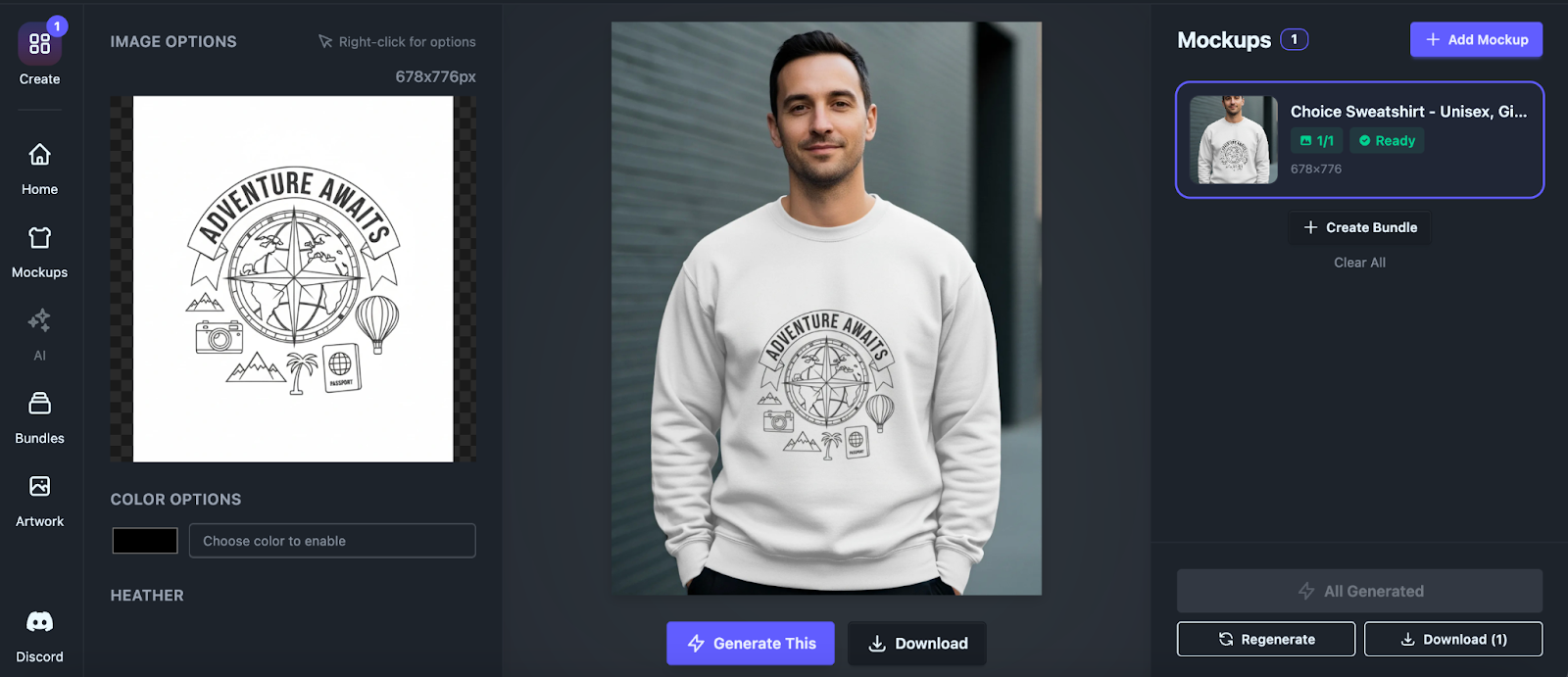
Mockster - Intuitive Editor with Drag-and-Drop SimplicityWe built Mockster not just for great results, but also for an effortless user experience. The interface is clean, uncluttered, and beginner-friendly by design. You won’t need to watch hours of tutorials or have any graphic design background to create amazing mockups. If you can drag and drop and click a few buttons, you can use Mockster.

The editor works in your browser, no software download required. Just upload your design file (PNG, JPG, etc.), pick a mockup template from our library, and drag your design onto the product. You’ll see an instant preview. You can resize or reposition the design as needed (or use auto-center/fit options). Toggle scene layers on/off in a sidebar as discussed above. Change colors with the color pickers. Everything updates in real-time, so you know exactly what you’re getting.
Photorealistic Mockups with Advanced Displacement Mapping

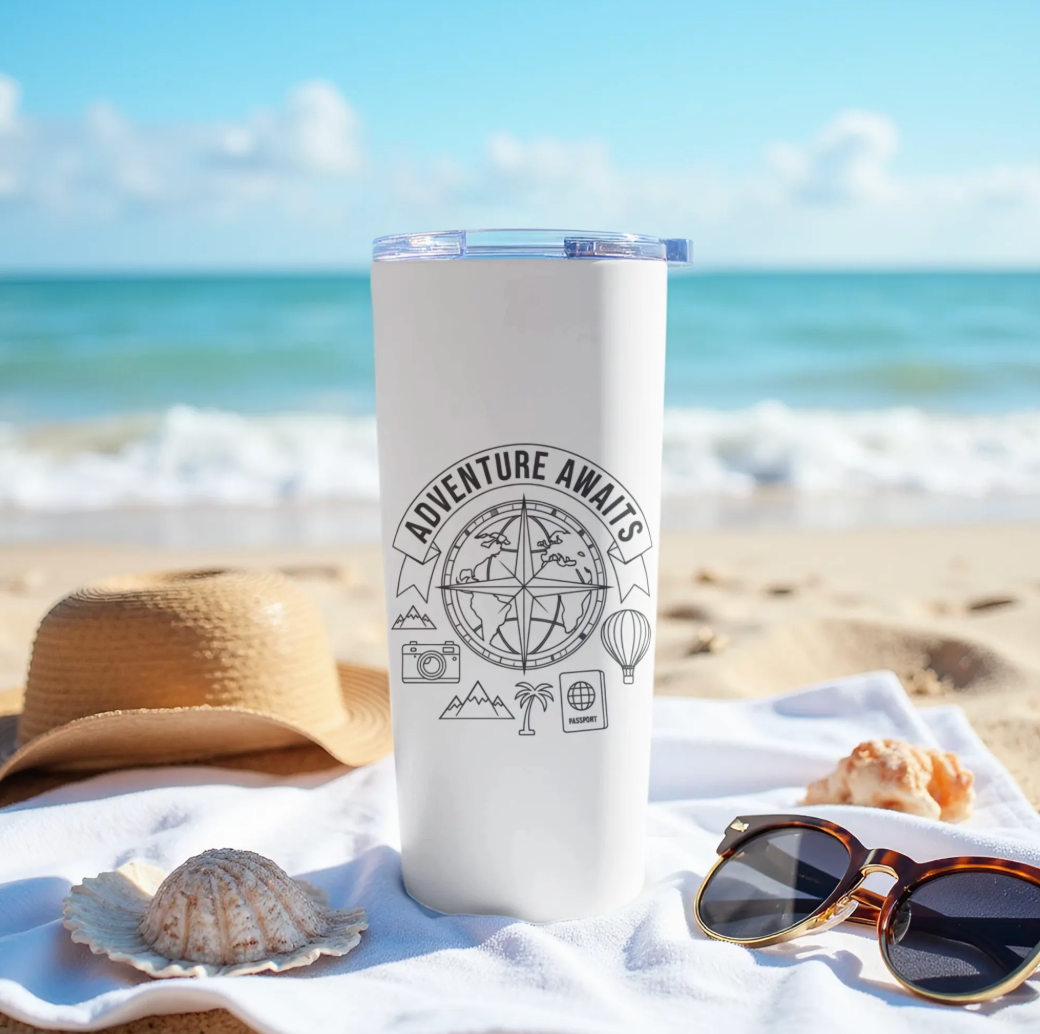
Photorealistic Mockups with Advanced Displacement MappingOne of Mockster’s flagship features is its photorealistic mockup rendering. We’ve implemented advanced displacement mapping and lighting effects under the hood to ensure your artwork looks truly embedded onto the product surface. 

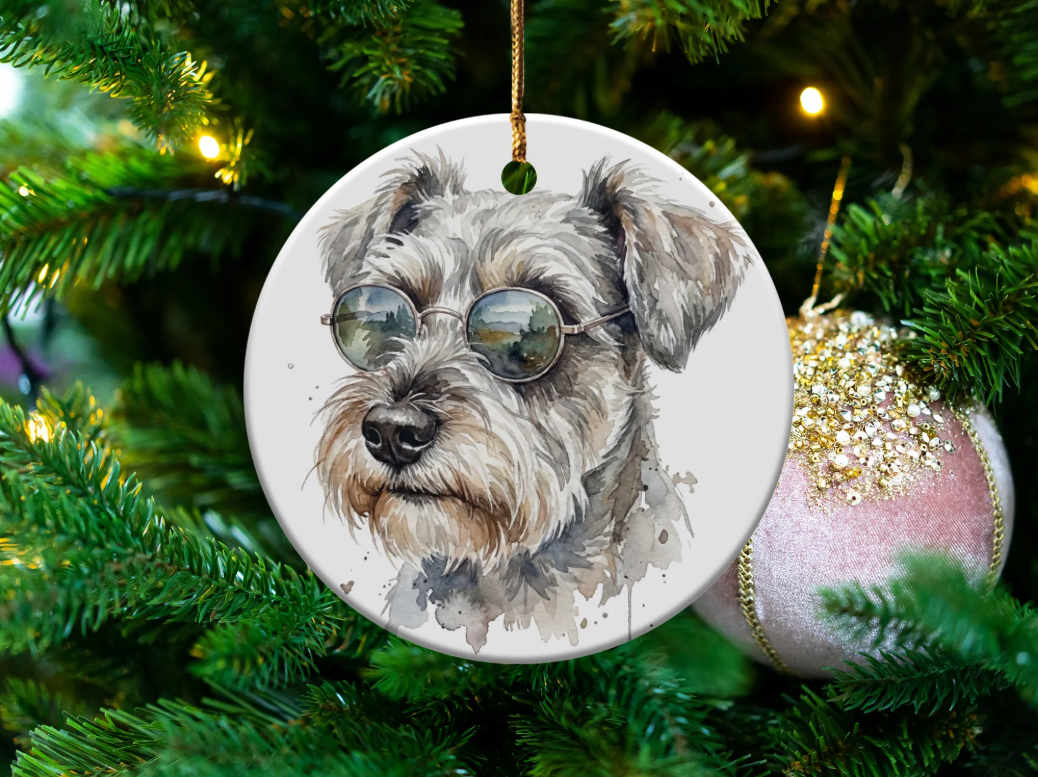
What does that mean for you? It means every fold, shadow, and texture on the product looks natural, as if you took a real product photograph. Your design will follow the curves of a t-shirt’s wrinkles or the contours of a mug, with perfect perspective and shading.

This technology is what makes a design on a t-shirt appear to stretch and fold exactly as cloth would, or a graphic on a pillow follow the fabric’s wrinkles. No more flat-looking overlays. Our system handles perspective and lighting automatically, so your art doesn’t just “sit” on the product; it looks naturally printed or embroidered onto it. The result? Mockups so realistic that customers might ask if you took the photos yourself!
High-Resolution Output for Print & Web

High-Resolution Output for Print & WebEver zoom into a product image only to find it’s grainy or pixelated? That’s a conversion killer. With Mockster, all your mockups can be exported in ultra high resolution, suitable for both crystal-clear website images and large-format print needs. We know some of you might want to use these images for banners, zoomable galleries, or even printed catalogs, so we made sure resolution will never be a worry.

Mockster’s rendering engine produces sharp, professional-quality images. The level of detail holds up even when customers use the zoom tool on your site to inspect the fine print or texture on your product. Text remains crisp, and graphics stay clear. High DPI outputs mean you could take that mockup from your screen to a print brochure and it would still look fantastic.

Why does this matter? High-res imagery signals professionalism. Blurry or low-res pics can erode trust immediately. Shoppers might assume the product quality is low if the image quality is low. Conversely, polished, high-res visuals show that you care about quality, giving customers confidence to buy. With Mockster, you’re equipped to put your best foot forward. Every mockup you download is ready for the spotlight, whether it’s on a retina-display smartphone, a 4K monitor, or a print ad.
10,000+ Premium Mockups (and Counting) – Bags, Shirts, Mugs & More

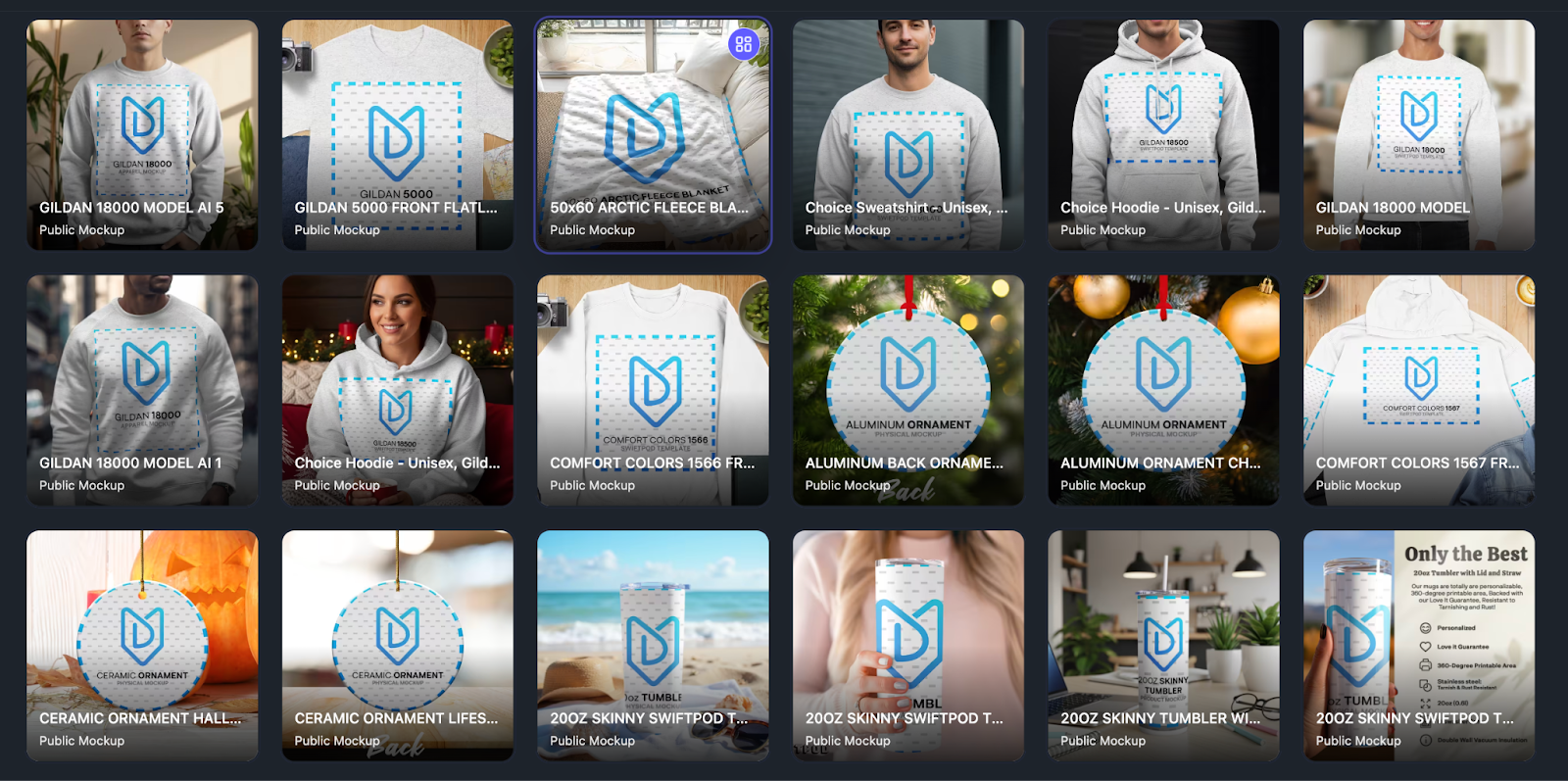
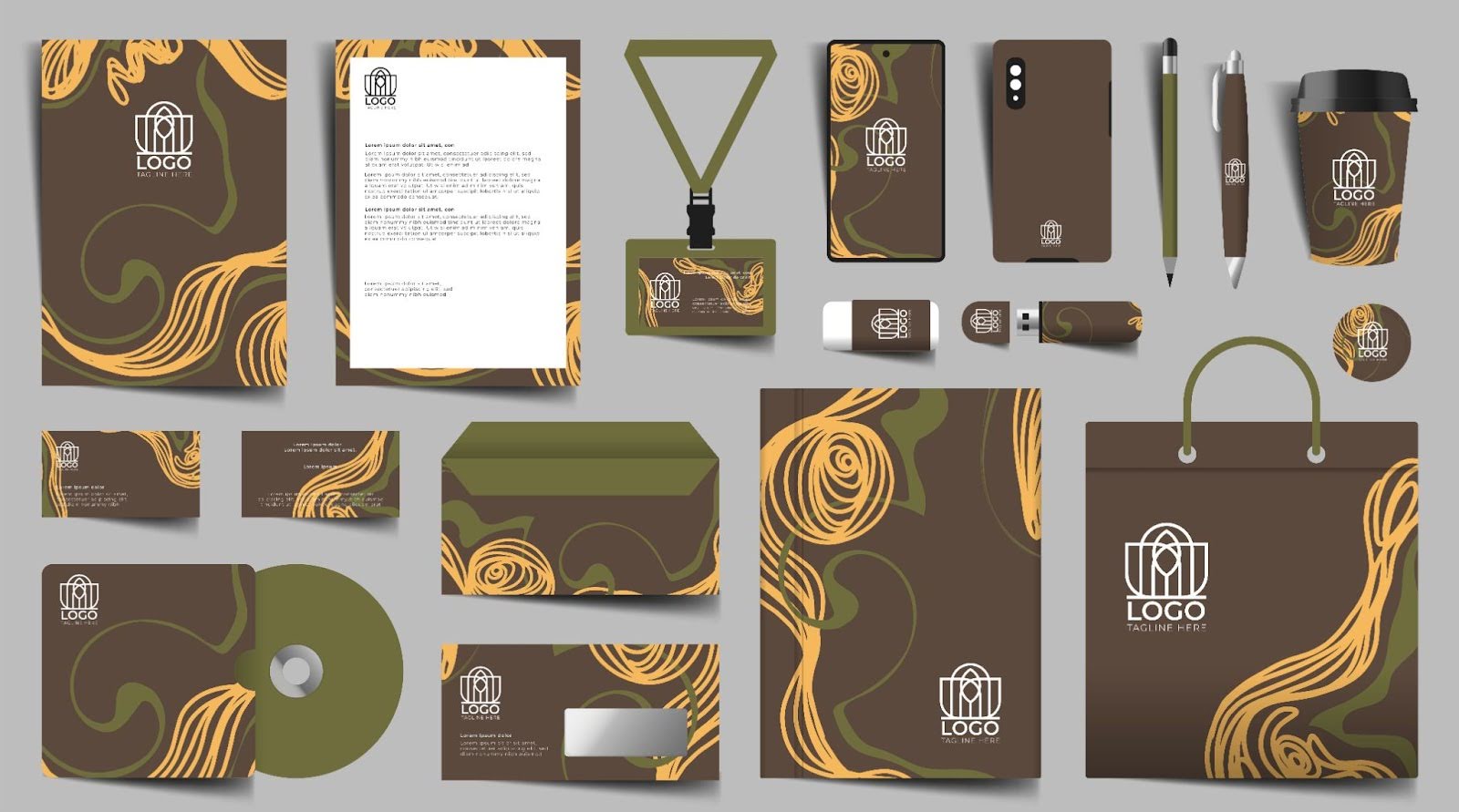
Of course, a mockup generator is only as good as the templates it offers. We’re launching Mockster with a library of over 10,000 premium mockup templates ready to use, and we’re adding more all the time. No matter what you sell or create, you’ll likely find templates in Mockster’s catalog to showcase your designs.

We’ve covered all the popular product categories for print-on-demand and e-commerce. To name just a few, you’ll find:

  • Apparel: t-shirts, hoodies, tank tops, hats, and more on various models and flat lays.
  • Accessories: tote bags, backpacks, hats.
  • Home & Living: pillows, blankets, canvases, mugs, tumblers.
  • Prints & Wall Art: posters in frames, canvases on walls, etc.
  • And many others: phone cases, stickers, notebooks… the list goes on!

Each template in our library is hand-picked and professionally photographed, ensuring that you get truly high-quality scenes to work with. Whether you need a classic white background studio shot or a lifestyle setting (like a coffee mug on a kitchen counter, or a t-shirt on a smiling model outdoors), we’ve got you covered. You can use the Search and category filters in Mockster to quickly find the perfect mockup for your needs.

Having such a wide variety of mockups means you can create an entire product line’s imagery in one go. For instance, if you’re launching a new design on a t-shirt, hoodie, mug, and tote bag, you can find a mockup for each of those in Mockster and maintain a consistent style across all images. 

Bulk Generation: Create up to 120 Mockups at Once

Time is money for sellers, which is why Mockster allows bulk mockup generation. You can generate up to 120 mockups simultaneously, saving you countless hours compared to doing them one by one. This is a game-changer if you have a lot of designs or product variations.

Here’s how it can work: let’s say you have 10 designs that you want to apply to 12 different product mockups each (maybe a shirt, hoodie, mug, etc. for each design). Instead of uploading each design and choosing templates one by one, you can queue them up in Mockster’s batch generator. In a single run, Mockster will produce all 120 images! Go grab a coffee, and by the time you’re back, you’ll have a full portfolio of mockups ready to download.

Even if you’re working with just one design, bulk generation is useful when you want to see that design on many different products or scenes quickly. Our system can handle the workload thanks to the robust infrastructure we’ve built (leveraging that MyDesigns bulk processing expertise). Whether you need 1 mockup or 100, Mockster scales with you.

Mockup Bundles

Mockup BundlesOne of the biggest time-savers in Mockster is Mockup Bundles. Instead of manually selecting individual mockups for every campaign or product launch, you can use pre-built, themed bundles designed to keep your visuals consistent and on-brand.

Mockup Bundles are perfect for launching collections, seasonal promotions, or full brand refreshes in a fraction of the time.

Key benefits include:

  • Themed bundles for quick promotions
    Instantly apply a cohesive set of mockups that match a specific style, season, or campaign without starting from scratch.
  • Brand Kit Bundles for complete identity generation
    Maintain visual consistency across your entire store by using bundles aligned with your brand’s colors, vibe, and presentation style.
  • One-click application across entire collections
    Apply the same mockup style across multiple products or designs at once, eliminating repetitive work and speeding up launches dramatically.

If you’re running frequent promotions or managing large catalogs, Mockup Bundles alone can save you hours every week.

Upload Your Own PSDs

For advanced users and brands that want full creative control, Mockster lets you upload your own PSD files and turn them into powerful, reusable mockup engines.

This feature bridges the gap between custom Photoshop workflows and scalable automation—giving you the best of both worlds.

Here’s what makes it powerful:

  • Intuitive smart object mapping
    Mockster automatically detects and maps smart objects in your PSDs, making it easy to replace designs without manual layer adjustments.
  • PSD validation for rendering compatibility
    Every uploaded PSD is checked to ensure it’s compatible with Mockster’s rendering system, preventing errors before they happen.
  • Secure, private storage of your designs
    Your PSDs and assets are stored securely and privately, ensuring your custom mockups remain exclusive to your account.

This is ideal for agencies, established brands, and sellers who already have custom mockup PSDs but want to automate and scale their usage without sacrificing quality.

Simple and Flexible Pricing

We believe Mockster should be accessible to creators at all levels, so we’ve made the pricing simple and transparent. There’s even a free tier so you can try it out with no commitment. Here’s the breakdown:

  • Free Plan: $0 – Every new user starts with 5 free mockup credits to test out Mockster (no credit card required). Create a few mockups on us and see the magic in action.
  • Starter Plan: $9.99/month – Includes 600 credits per month (1 credit = 1 mockup generation). This is perfect for individuals or small shops. It comes with standard queue priority and support. Annual option: If you prefer, you can choose annual billing and save 20% – effectively getting two months free over the year.
  • Pro Plan: $29.99/month – Includes 3000 credits per month, plus perks like unlimited storage, higher queue priority for even faster processing, and priority support. Like the Starter, you can opt for annual billing and save 20%. This plan is great for growing businesses or power users who create a lot of mockups.
  • Enterprise Plan: Custom pricing – For large organizations or those needing unlimited credits and API access, we offer enterprise solutions. This comes with dedicated support, highest priority processing, and the ability to integrate Mockster into your own systems (more on the API below). If you’re interested, you can contact our sales team to discuss a tailored plan.

All our paid plans currently include a 14-day free trial (with no credit card required to start) – so you can effectively use Mockster Pro without risk and see if it fits your needs. And if you ever decide to upgrade or downgrade, plans can be changed at any time. 

Join the Community

When you use Mockster, you’re not just getting software, you’re joining a growing community of creators and sellers who are leveling up their product imagery. We love hearing feedback, seeing what you create, and helping you succeed.

For support, ideas, and networking with other Mockster users, we invite you to join our Mockster Discord server. It’s a friendly space where you can ask questions, share tips, request new features or mockup templates, and even show off your favorite mockups. Our team is active there as well, so it’s one of the quickest ways to get help or give feedback. 

Beyond Discord, we also have a Help Center and are available via email for any support issues. Many of you know from MyDesigns that we pride ourselves on responsive support. Mockster is no different. 

In short, you’re not alone on this journey. Whether you’re an experienced seller or a total beginner, you’ll find peers and support channels ready to assist you. We want Mockster to continuously improve, and the best way is by listening to you.

API Access for Enterprises & Advanced Users

Are you a developer or running a business that could benefit from automating mockup creation beyond the web interface? Good news – Mockster offers an API for enterprise users. With API access, you can integrate Mockster’s mockup generation capabilities directly into your own apps, website, or workflow. For example, an e-commerce platform could use the API to auto-generate product images when a new design is uploaded, all behind the scenes.

This is a more advanced feature and is typically part of our Enterprise plan (or a custom arrangement), as it provides programmatic, high-volume usage of Mockster. 

Coming Soon: AI-Powered Mockups

I also want to give you a sneak peek into the future. Our team is actively working on AI-generated mockups, and this feature will be coming soon to Mockster! 

What do we mean by AI mockups? Imagine being able to generate unique scene backgrounds or context around your product using artificial intelligence, or even create entirely new product angles on the fly. AI can unlock creative possibilities beyond the static templates.

For example, you could one day type a prompt like “show this t-shirt on a beach at sunset” and have Mockster generate a realistic scene around your product. Or use AI to expand the variety of models, settings, and props infinitely. The goal is to supplement our photographed mockup library with AI’s creative power, giving you endless options and the ability to get super specific or imaginative with how your products are presented.

We’re super excited about this, and development is in progress. As noted on our site, AI mockups are “Coming Soon” on all plans – so even Starter and Pro users will get access to some level of this when it’s ready (Enterprise users will likely get some extra perks or volume here too). 

Stay tuned for more announcements on this front. When we’re ready to launch the AI features, you can bet we’ll have another blog post or a demo to show off what it can do.

How to Sign Up and Start Using Mockster

Ready to give Mockster a try? Getting started is easy. Here’s how you can sign up and create your first mockup:

  1. Visit the Mockster Website: Go to our homepage. You’ll see a “Get Started” button. Click that to begin registration.
  2. Create Your Account: You can sign up with an email address and set a password.
  3. Choose a Plan (or Free Trial): During sign-up, you can stick with the Free plan or select a Starter/Pro plan if you already know you’ll need those features.
  4. Access the Mockup Editor: Once your account is created, you can log in and you’ll land in the Mockster app. It’s web-based, so everything runs in your browser. Click the Create tab in the navigation menu to get started.
  5. Select a Mockup Template: Browse or search for a template that fits your product. Templates are categorized and searchable. For example, type “mug”, “t-shirt”, “bag”, etc., or filter by category. Click on a template to open it in the editor.
  6. Upload Your Design: In the editor, you’ll see an area to upload your artwork (image file). Drag-and-drop your design or click to upload. It will appear over the product in the mockup. You can then adjust its size and placement as needed.
  7. Customize the Scene: Use the side panel to toggle layers (background, props, model, etc.) on or off to your liking. Use the color pickers if you want to change the product color (if the template supports it) or the background color. You’ll see the preview update instantly. Make adjustments until it looks perfect.
  8. Generate and Download: Once you’re happy with the setup, hit the Generate Mockup button. Within seconds, Mockster will process the image. You can then download the high-resolution mockup to your computer. If you’re doing a batch of many mockups, the interface will let you know as each one is generated. You can download individually or all together as a ZIP file.
  9. Use Your Mockups: Now you have a gorgeous, professional image ready to use! Upload it to your e-commerce listings, share on social media, add to your portfolio, wherever you need it. Rinse and repeat for as many designs or templates as you want. Remember, you have those monthly credits to burn, and Mockster makes it fun to use them!

That’s it! In just a few minutes from signing up, you can have new mockups live on your store. If you run into any questions, refer to our Help Center or pop into the Discord; we’re always happy to assist new users.

Final Thoughts

Launching Mockster is a huge milestone for our team. We built this tool to empower creatives, entrepreneurs, and anyone who needs jaw-dropping visuals for their products without the pain. I truly believe Mockster will save you time, amplify your product presentation, and maybe even make the whole mockup process enjoyable. 

I encourage you to give Mockster a try – generate some mockups, play with the features, and let us know what you think. Your feedback will help shape the future of Mockster. We’re committed to making it the best mockup generator on the planet.

Thank you for being part of the MyDesigns journey so far, and we can’t wait to see how you use Mockster. High-quality images are the bridge between your product and your customer’s imagination, and now you have the power to create those images easier than ever. 

So go ahead, sign up for your free trial, make some mockups, and take your product listings to the next level.

Happy creating, and as always, reach out if you need anything.

See you on Mockster!

Leave a Reply

Your email address will not be published. Required fields are marked *