


MyDesigns is built to tackle exactly these challenges. It’s an all-in-one platform that lets you design, optimize, and publish product listings in bulk, a game changer for seasonal launches when you have dozens of new products to get live quickly.
Let’s walk through how you can leverage key MyDesigns features to launch an entire seasonal collection from start to finish, with a fraction of the effort of old-school methods.
Step 1: Generate Seasonal Designs with Dream AI
 A successful seasonal collection starts with great designs that capture the theme. Traditionally, you might spend weeks creating artwork yourself or pay designers for each motif. Dream AI is an AI-powered image generator that transforms text or image prompts into high-quality artwork with various models and styles. It can produce unique graphics for your products on demand.
For example, you could prompt Dream AI with “vintage Halloween pumpkin patch illustration” or “cute mother’s day quote in floral style” and get multiple original design options in minutes. The AI supports a variety of art styles, from realistic photographic looks to anime or comic styles, so it’s easy to match the vibe of the holiday or target audience.
This means you can rapidly build a library of seasonal designs without the hefty costs of commissioned art or the time crunch of doing everything manually. One creator might generate 50 new Christmas sweater graphics overnight with Dream AI, something that used to require hiring freelancers or buying stock art. Plus, because it’s integrated in MyDesigns, all your AI-generated images are right there in your account, ready for the next steps.
Step 2: Optimize Your Designs with Canvas and Image Utilities
 Not every AI image or raw design is immediately product-ready. You might need to remove a background, upscale the resolution for printing, or make small tweaks. MyDesigns includes robust Image Utilities to handle this swiftly. For instance, you can use the Background Removal tool to knock out unwanted backgrounds from your designs (crucial if you want a transparent PNG of that Halloween cat graphic to print on a t-shirt or mug).
There’s also an upscaler to enlarge images without losing quality, ensuring your art looks crisp on high-resolution prints or big canvases. These tools operate in bulk, you can select a whole batch of images and apply, say, background removal to all of them in one go, instead of painstakingly editing each file in Photoshop.
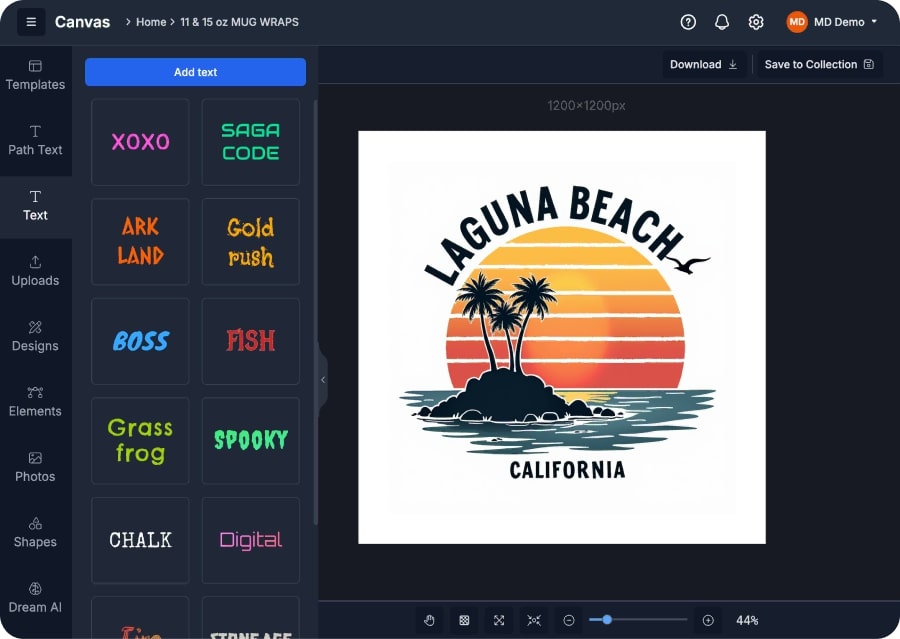
If some designs need further touch-ups or personalization, you have the Canvas editor at your disposal – MyDesigns’ drag-and-drop editor. You can quickly add text, shapes, or combine elements, like inserting a family name on a Christmas ornament. Each edit saves as a new version, keeping the original intact for easy customization.
By using Image Utilities and Canvas, you ensure every design is polished and print-ready. All the files are neatly organized in your MyDesigns account, which beats having a chaotic folder on your computer. In a manual workflow, you might have needed separate software for background removal, image resizing, and design tweaks, jumping between tools and running scripts.
Here it’s all in one place, massively streamlining your prep phase.
Step 3: Create High-Conversion Listings with AI
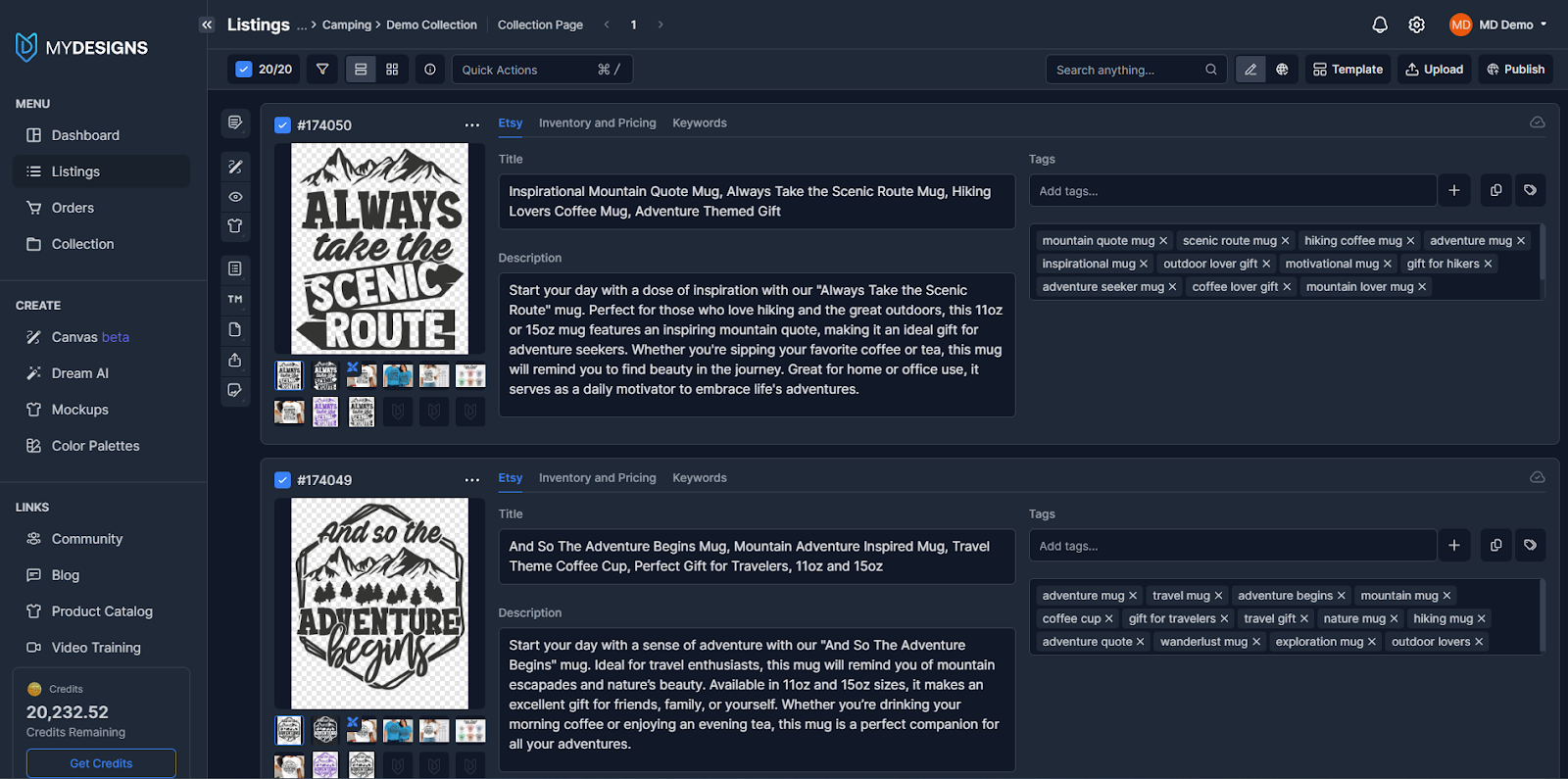 Quality designs are only half the equation, a product needs a compelling listing to sell. That means good titles, descriptions, keywords, and eye-catching product photos or mockups. MyDesigns has AI tools and automation to handle these steps in bulk. Vision AI & Phraser AI are your secret weapons for listing content. These tools generate search-optimized titles, descriptions, and tags for your products.
Vision AI analyzes your design image itself and suggests relevant keywords and phrases, while Phraser AI can craft human-like titles and descriptions based on those keywords or any prompts you give. For example, if you have a Valentine’s Day mug design, Vision AI might detect hearts/flowers and propose keywords like “romantic gift for her”, and Phraser AI could generate a catchy title like “Romantic Heart Bouquet Mug, The Perfect Gift for Her on Valentine’s Day”.
You can do this for dozens of designs in one session, it’s like having a virtual copywriting assistant who never gets tired. It sure beats manually brainstorming SEO terms for each listing; many sellers find listing optimization with MyDesigns’ AI cuts hours of drudgery while improving quality (since the AI is trained on what converts well).
Meanwhile, you’ll want attractive product images for your listings. This is where the Product Mockups feature comes in. With MyDesigns’ mockup generator, you can instantly create professional mockup images for each design on the products you plan to sell. For instance, if you’re launching a Christmas design on sweatshirts, ornaments, and throw pillows, the tool can bulk-generate a set of realistic photos for each, a cozy sweatshirt flatlay with your design, a styled living room scene showing the pillow, etc.
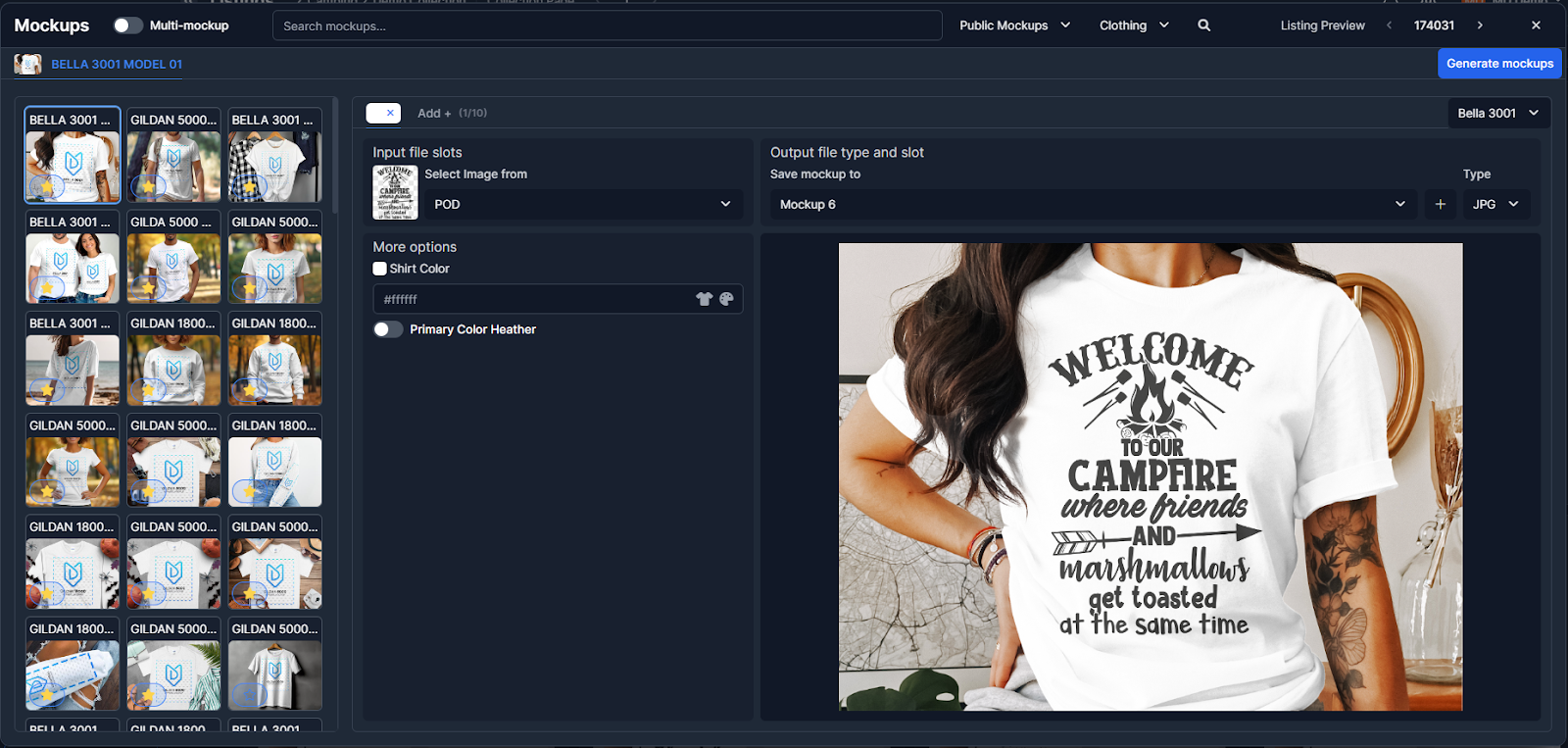 The platform offers 4,000+ mockup templates (covering apparel, home decor, accessories, and more), or you can even upload your own. Crucially, you can do this in bulk: select your designs, select a bunch of mockup styles, and generate them all at once. High-quality mockups make your listings look professional and can significantly boost conversion rates by helping customers visualize the product.
By the end of this step, you have for each product: polished design files, a stack of great mockup images, and AI-generated listing text (which you can tweak or fine-tune as needed). All of this is organized per product in MyDesigns. You’re almost ready to publish, and you haven’t had to open a spreadsheet or juggle five different browser tabs for marketplace listing forms!
Step 4: Bulk Publish to Every Marketplace (Etsy, Shopify, Amazon… All at Once)
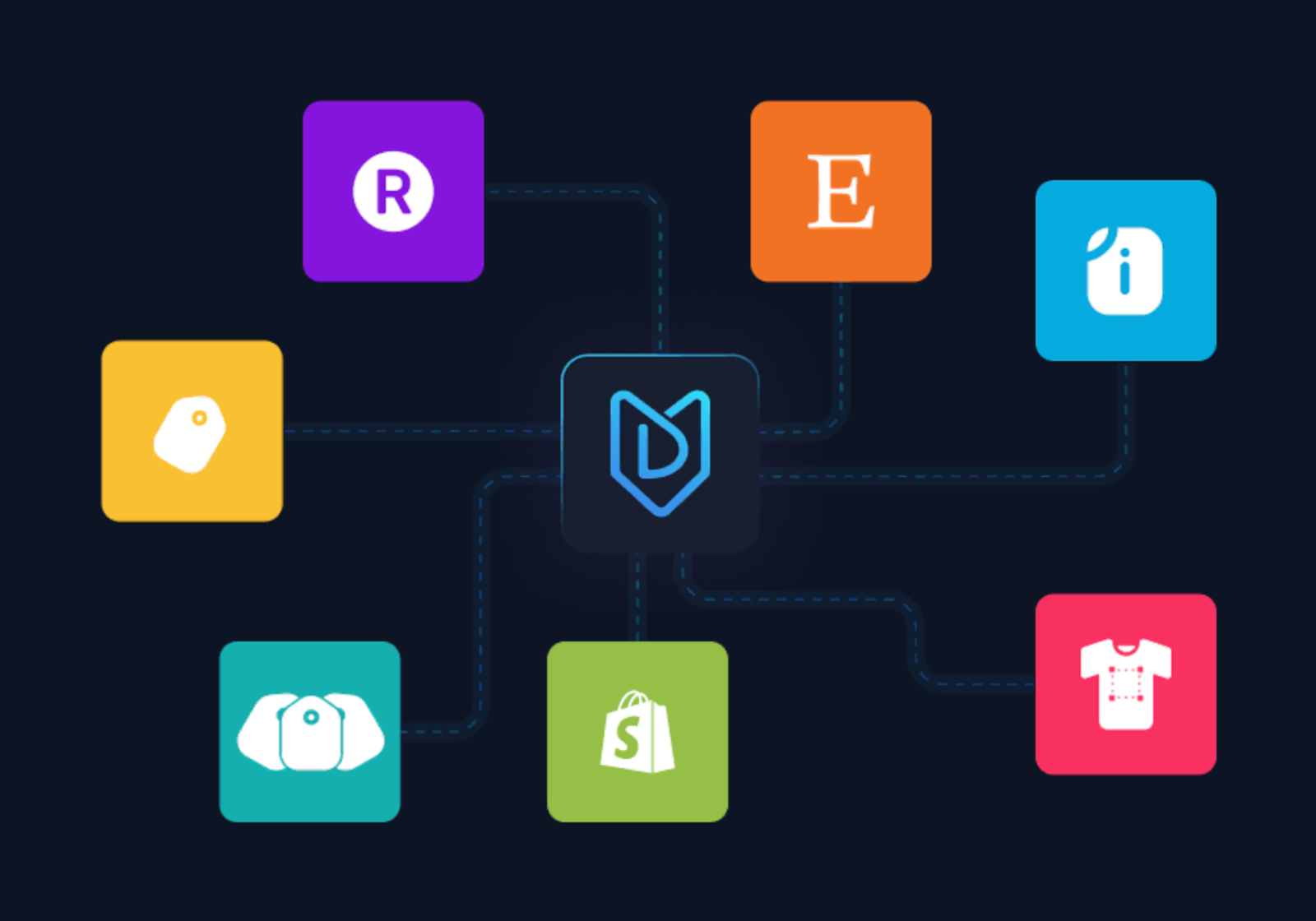 Now for the main event: publishing your seasonal collection live to start selling. In the bad old days, this meant logging into each platform’s admin and creating listings one by one. If you were selling on Etsy, Shopify, and Amazon, you effectively did the work three times and risked inconsistencies along the way. MyDesigns obliterates that inefficiency with its Bulk Publish feature and Shops & Integrations hub.
Here’s how it works: you connect your store accounts (Etsy shop, Shopify store, WooCommerce site, Amazon seller account, etc.) once to MyDesigns via Shops and Integrations. MyDesigns supports direct integration with all major marketplaces, so your products can be pushed through the API. With your accounts connected, you can take the batch of products you prepared and publish them in one go to all selected channels.
In the MyDesigns dashboard, you’d select your seasonal collection items, choose “Bulk Publish,” and then check off where you want them to go (for example, 20 Valentine’s listings to Etsy, Shopify, and WooCommerce). Hit publish, and the system will create those 20 listings on all three platforms automatically, complete with the titles, descriptions, prices, variations, and images you set up.
Contrast this with manually uploading even just 20 products to 3 platforms, that’s 60 individual listing creations you would have to do by hand, which could easily take multiple days of tedious work. Sellers have reported that one listing can take 5-10 minutes or more to configure manually, not counting the time to upload images and double-check everything. Bulk Publish compresses hours of work into a single action.
What about multi-product listings? MyDesigns handles that too. With Multi-Product Publishing, you can create a single listing that contains multiple products or variants. You can group variants like a t-shirt, hoodie, and mug under one listing instead of creating separate ones. On platforms with variants (Shopify, WooCommerce) they stay unified, while on Etsy they’re split into linked listings, with inventory synced across all. The key is that everything stays coordinated.
The immediate benefit here is massive time savings and consistency. You’re not copying and pasting descriptions or uploading the same PNG five times. There’s less chance you’ll forget to update a price or miss an image on one platform. It’s truly “create once, publish everywhere.”
And remember that multi-channel stat: being present on more channels can dramatically increase your revenue. MyDesigns makes multi-channel selling practical for a small business because it removes the manual overhead that used to come with it. Even a one-person shop can have a full seasonal spread live on every major marketplace, all at once.
Step 5: Manage and Optimize Listings in One Place
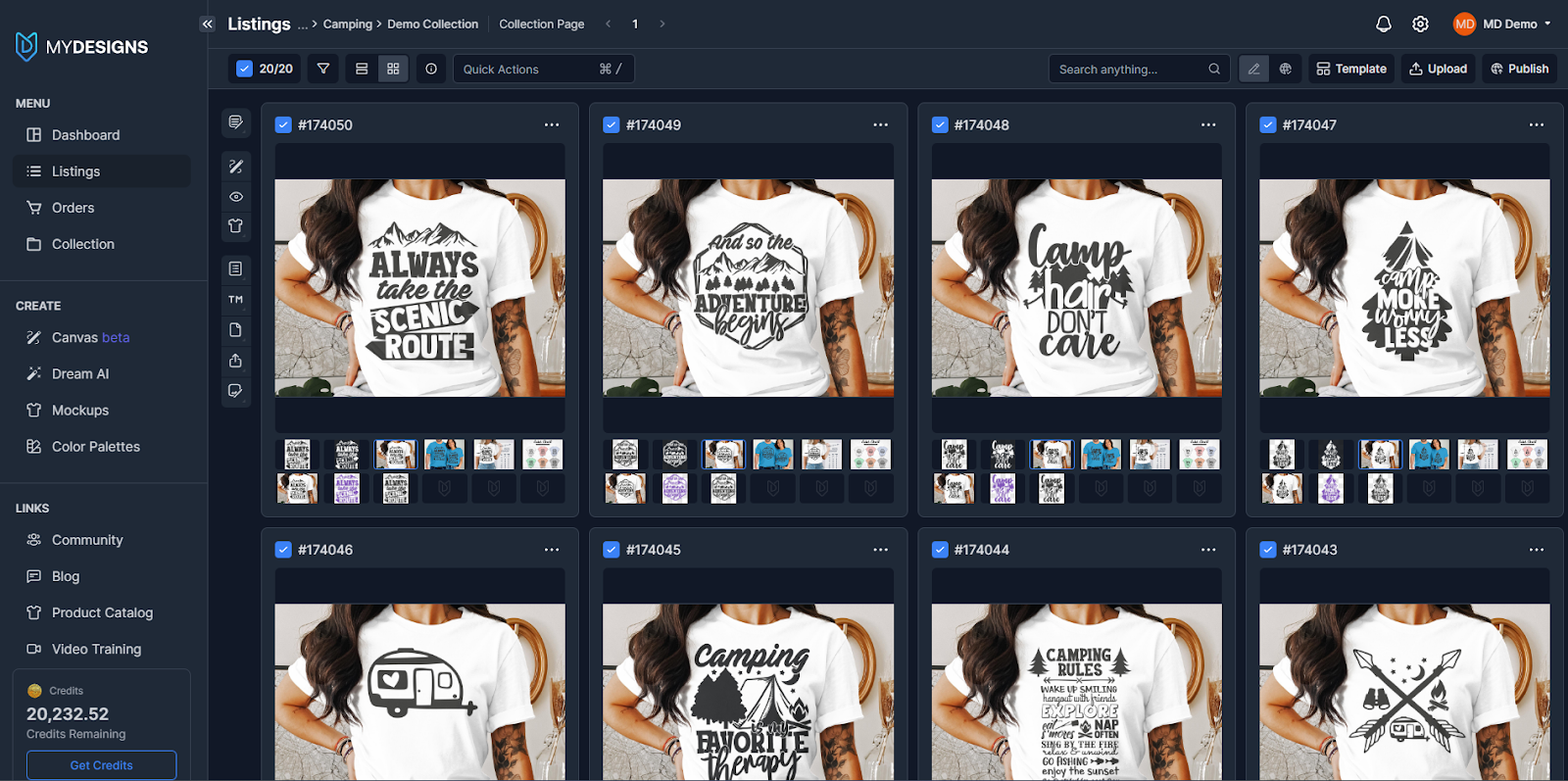 After publishing, the work isn’t completely over, you may need to tweak listings, manage orders, or analyze performance. The difference now is you can do it centrally. MyDesigns provides Listing Management tools that let you view and edit your listings across all shops from one dashboard.
If you need to adjust a price, add a new product variant, or update a design file, you can do that in MyDesigns and sync the changes out to every platform. This is especially useful for seasonal collections: perhaps after a week you notice one Valentine’s design is a bestseller and you want to tag “Bestseller” in the title or duplicate it to another category, one quick edit and it’s updated on Etsy, Shopify, etc., without manually editing each site.
Moreover, central management means as orders start coming in from your seasonal launch, you aren’t frantically hopping between Etsy, Amazon, and Shopify dashboards. All orders can be seen in one place, and you can even fulfill or personalize orders right from the integrated Canvas if needed. Essentially, MyDesigns acts as the command center for your entire seasonal campaign.
From a cost perspective, consider how this unified approach saves money: you’re less likely to oversell stock (for those who have inventory) because inventory sync can be handled; you won’t need to hire a virtual assistant to copy listings between platforms; and you can respond faster to market trends, especially if a design is doing well on one marketplace, you can launch it on another in minutes via MyDesigns. The efficiency and agility are extremely valuable in capitalizing on the short window of seasonal demand.
Let’s pause to quantify the difference. Imagine it’s Halloween season and you plan to launch 50 new print-on-demand products (10 designs across 5 product types each). Here’s a rough comparison of manual workflow versus MyDesigns bulk workflow:
- Design Creation:
Old way: hire 2-3 designers or spend weeks drawing
New way: use Dream AI to generate dozens of concepts in a day, tweak in Canvas, spend maybe a few hours guiding AI and refining.
Savings: potentially thousands of dollars in design costs and several weeks of lead time.
- Image Prep:
Old way: individually remove backgrounds or resize in an editor for each design and product mockup
New way: one-click bulk background removal and upscaling on all images, auto-generating mockups for all products.
Savings: perhaps 5-10 minutes per image times hundreds of images, i.e. dozens of hours saved, not to mention avoiding outsourcing photo edits.
- Listing Content:
Old way: research keywords and write titles/descriptions for 50 listings, often a full day or two of work
New way: Vision AI & Phraser AI draft them in bulk, requiring only minor edits/approval.
Savings: 80-90% less time spent on copywriting tasks.
- Uploading/Publishing:
Old way: create 50 listings on each platform manually. On 3 platforms, that’s 150 listing forms to fill; even at 5-10 minutes each, you’re looking at 12+ hours of pure listing upload time.
New way: select all products and click Bulk Publish once per platform (or once total if multi-select); basically minutes of oversight instead of a full day. Savings: easily a full workday or more, just in publishing time.
- Overall Coordination:
Old way: constant spreadsheet trackers or checklists to ensure every design made it to every site, high risk of mistakes or omissions.
New way: centralized dashboard ensures nothing is missed and everything went live as expected.
Savings: intangible but significant peace of mind, and likely higher revenue because you didn’t accidentally forget to list a product on a channel.
In real terms, automation is freeing up huge chunks of your schedule. According to Forbes, automation can save professionals the equivalent of 6 weeks of work per year, and even more for business owners. When it comes to seasonal launches, those saved weeks could be the difference between scrambling frantically and executing a well-promoted, on-time collection.
Instead of burning out preparing listings, you can invest time in marketing, running ads, sending emails, engaging on social media, or planning the next season. In business, time is money, and bulk publishing gives you back both.


Leave a Reply